


Is Sprout Social one of the most polished social media management tools out there?
Absolutely. The interface is clean, the reports look sharp, and the scheduling workflow feels built for serious teams managing multiple social media platforms. For many brands, it delivers structure and clarity in a space that can get chaotic fast.
So why are people still searching for Sprout Social alternatives in 2026?
Part of the answer shows up in user feedback. One reviewer, while appreciating the interface, mentioned that the pricing felt significantly higher than expected for the features included.
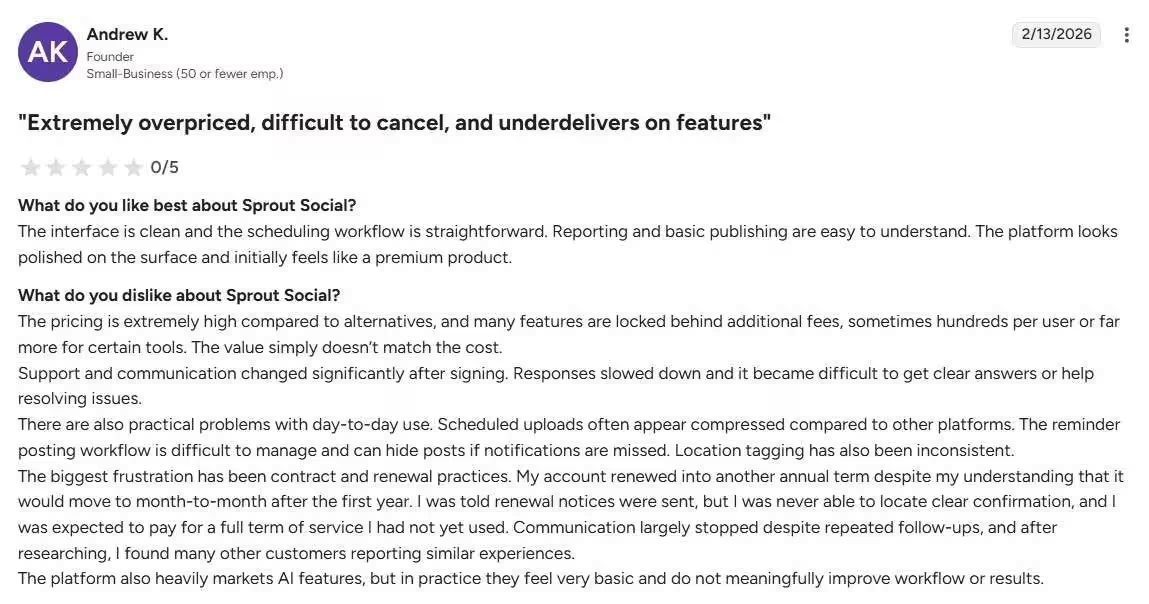
That theme comes up often as teams grow, per-user costs add up, some features sit behind higher tiers, and long-term contracts require careful consideration.
It’s not about the tool being “bad.” It’s about fit.
Our team has tested and used more than 40 tools, and we’ve shortlisted 15 worth considering. Let’s walk through them.
Short Summary
- Many businesses look for Sprout Social alternatives due to high pricing and limited flexibility.
- Affordable tools like Social Champ and Buffer offer robust scheduling and analytics without breaking the budget.
- Alternatives provide smoother workflows for teams managing multiple social media accounts.
- Platforms with visual calendars and automation features help maintain consistent posting, especially on TikTok.
- For TikTok campaigns, choosing the right tool, such as a reliable TikTok scheduler, ensures efficient content planning and better audience engagement.
Why Do People Look for Alternatives to Sprout Social?
Sprout Social is widely recognized as a solid platform for social media management. Its clean interface, intuitive scheduling, and comprehensive reporting make it a go-to for many agencies and in-house teams.
But even with all its strengths, teams often start exploring Sprout Social alternatives for very practical reasons.
High Pricing and Contract Frustrations
A common reason teams look for alternatives to Sprout Social is cost.
Its pricing scales with users and connected profiles, which can become expensive for growing agencies and small businesses managing multiple clients, prompting them to seek more flexible, budget-friendly tools.
Limited Profiles and Feature Caps
Entry-level Sprout Social plans cap the number of social profiles.
For multi-brand teams, this can feel restrictive and force early upgrades, leading them to seek more flexible alternatives.
Interface and Reporting Glitches
While Sprout Social is generally intuitive, some users note usability gaps like no dark mode and occasional inconsistencies in Instagram Stories reporting.
Teams managing multiple accounts may need to double-check metrics, taking time away from strategy and execution.
Workflow Slowdowns
According to users, scheduling in Sprout Social can feel slow, with occasional workflow hiccups.
Teams wanting faster posting, stronger integrations, and better AI tools often explore more efficient alternatives.
Featured Article: Sprout Social vs Social Champ

Your Budget Deserves Better!
Every dollar overspent on Sprout is a dollar you could put into ads or growth. Social Champ frees your budget without cutting capability.
Top Sprout Social Alternatives Compared by Features and Pricing
Sprout Social is widely recognized, but its cost and complexity often lead businesses to look for more affordable or user-friendly options. Here is a comparison of the top 15 alternatives, their starting prices, key features, and best use cases.
| Tool | Starting Price | Key Features | Best for |
|---|---|---|---|
| Social Champ | $4/month/channel | Scheduling & publishing across 11+ platforms, AI Suite, social inbox, calendar, analytics, and approval workflows | Startups, small to mid-sized agencies, and content creators |
| Hootsuite | $199/user/month | Planning & scheduling, social listening, analytics, team permissions, ad management | Mid-sized to large organizations, teams needing advanced analytics |
| Agorapulse | $79/user/month | Unified inbox, publishing, analytics, CRM integration, ROI reporting | Community-focused teams, agencies, and mid-sized businesses |
| NapoleonCat | $79/month | Engagement management, smart automation rules, social inbox, analytics | E-commerce brands, high-interaction social accounts |
| Loomly | $49/month | Visual content calendar, approval workflows, post previews, and team collaboration | Creative teams, agencies, and marketers managing multiple platforms |
| Later | $18.75/month | Drag-and-drop visual calendar, AI caption tools, Link in Bio, social inbox | Visual brands, creators, small businesses, and Instagram/TikTok-focused teams |
| Metricool | $20/month | Planner, analytics, SmartLinks, social inbox, team collaboration | SMBs, content creators, social media managers, agencies |
| SocialPilot | $25.50/month | Scheduling, analytics, client management, bulk publishing, white-label reports | Agencies, SMBs, social media managers |
| Sendible | $25/month | Client dashboards, smart queues, CRM integration, white-label reports | Agencies, expanding businesses, and social media managers |
| Buffer | $5/month | Scheduling, engagement dashboard, AI content tools, link-in-bio | Creators, solopreneurs, small businesses |
| SocialBee | $24/month | Content creation, scheduling, categorization & recycling, analytics | Content-heavy workflows, small teams, solopreneurs |
| Planable | $33/month | Real-time collaboration, approval workflows, visual calendar, and post previews | Marketing agencies, growing teams, collaborative workflows |
| CoSchedule | $19/month | Centralized marketing calendar, social publishing, AI tools, project management | Marketing teams that need integrated planning and content coordination |
| ContentStudio | $19/month | Publishing & scheduling, analytics, content curation, RSS feeds, social inbox | Marketing agencies, content creators, and multi-account management |
| Zoho Social | $10/month | Scheduling, monitoring, analytics, social inbox, Zoho CRM integration | SMBs, CRM-focused teams, and agencies within the Zoho suite |
Featured Article: Top 10 Planoly Competitors & Alternatives
Top 15 Sprout Social Alternatives Our Team Tested for You
Although Sprout Social is a popular choice, companies are frequently pushed to search for more effective, affordable, and user-friendly alternatives due to its high cost and complexity.
Below, we break down the top 15 Sprout Social alternatives, along with their advantages and disadvantages in terms of ROI, usability, and customer service.
-
Social Champ
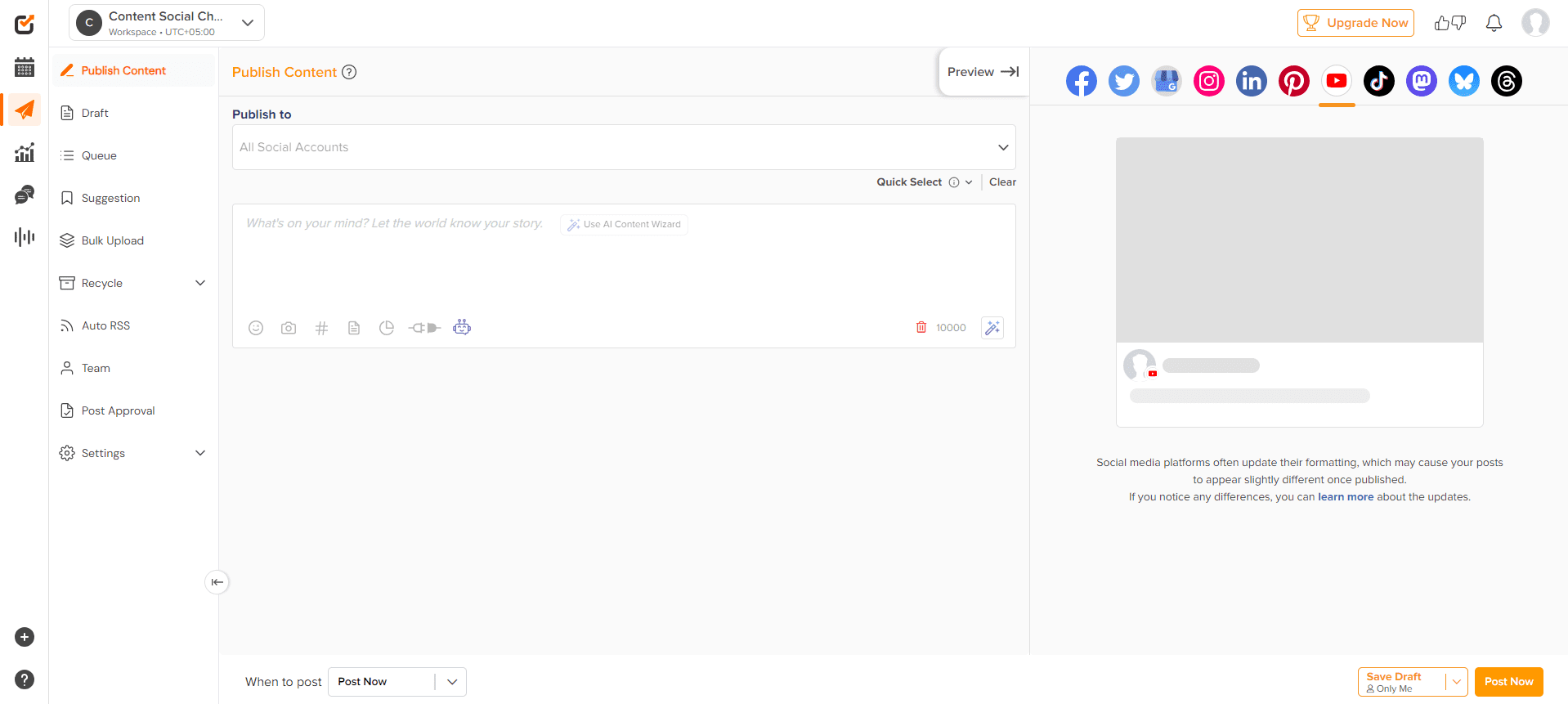
Social Champ’s Dashboard Social Champ is a social media management tool that is affordable yet practical at the same time.
Startups and solopreneurs find Social Champ appealing because it is among the less expensive options compared to Sprout Social. Tools like bulk scheduling, automatic RSS posting, and a straightforward dashboard are among its key features.
The ROI is high for users who require simple publishing tools without a high price tag. The platform is made to be user-friendly for everyone, and support is responsive.
Key Features
- Schedule and publish across 11+ social media platforms, including Facebook, Instagram, Threads, Pinterest, TikTok, Google Business Profile, X, LinkedIn, Mastodon, YouTube, and Bluesky.
- Create visual cues, come up with content ideas, and write captions using the integrated AI Suite.
- Plan weeks and months worth of content with the help of a social media calendar.

Social Champ’s Calendar - Oversee all discussions from a single inbox that collects messages and comments from various platforms.
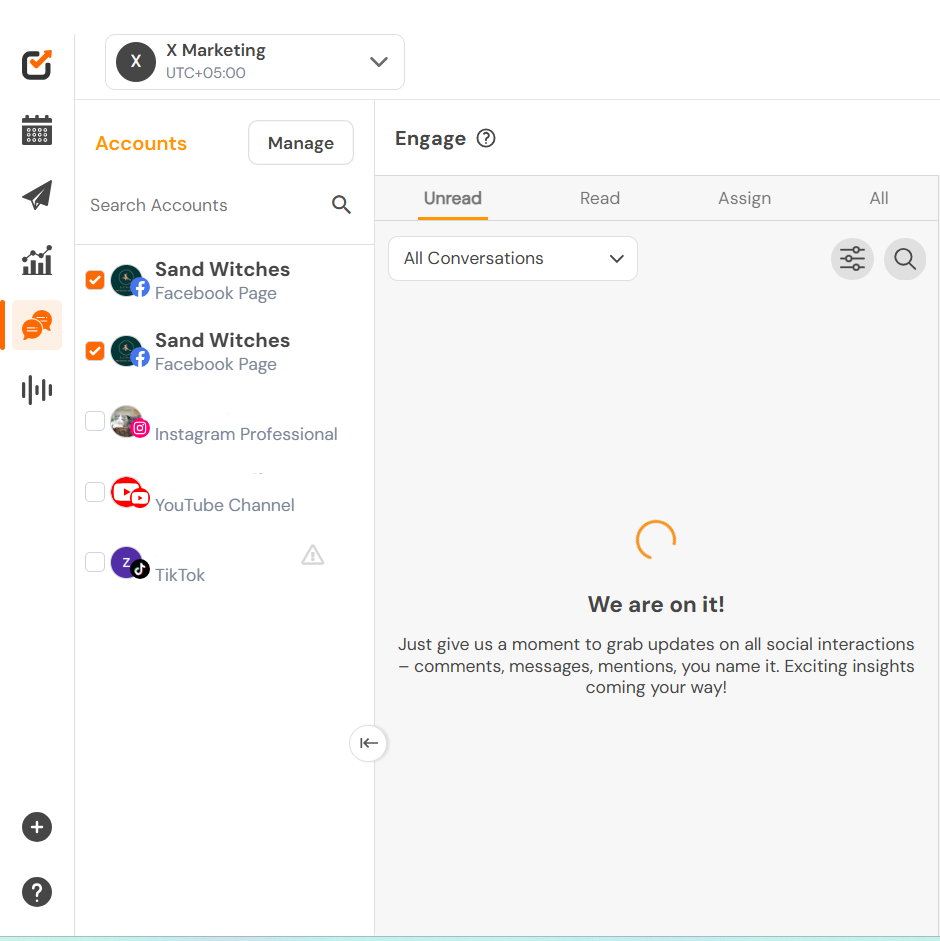
Social Champ’s Social Inbox - Use internal notes, approval workflows, and role-based access to work together as a team.
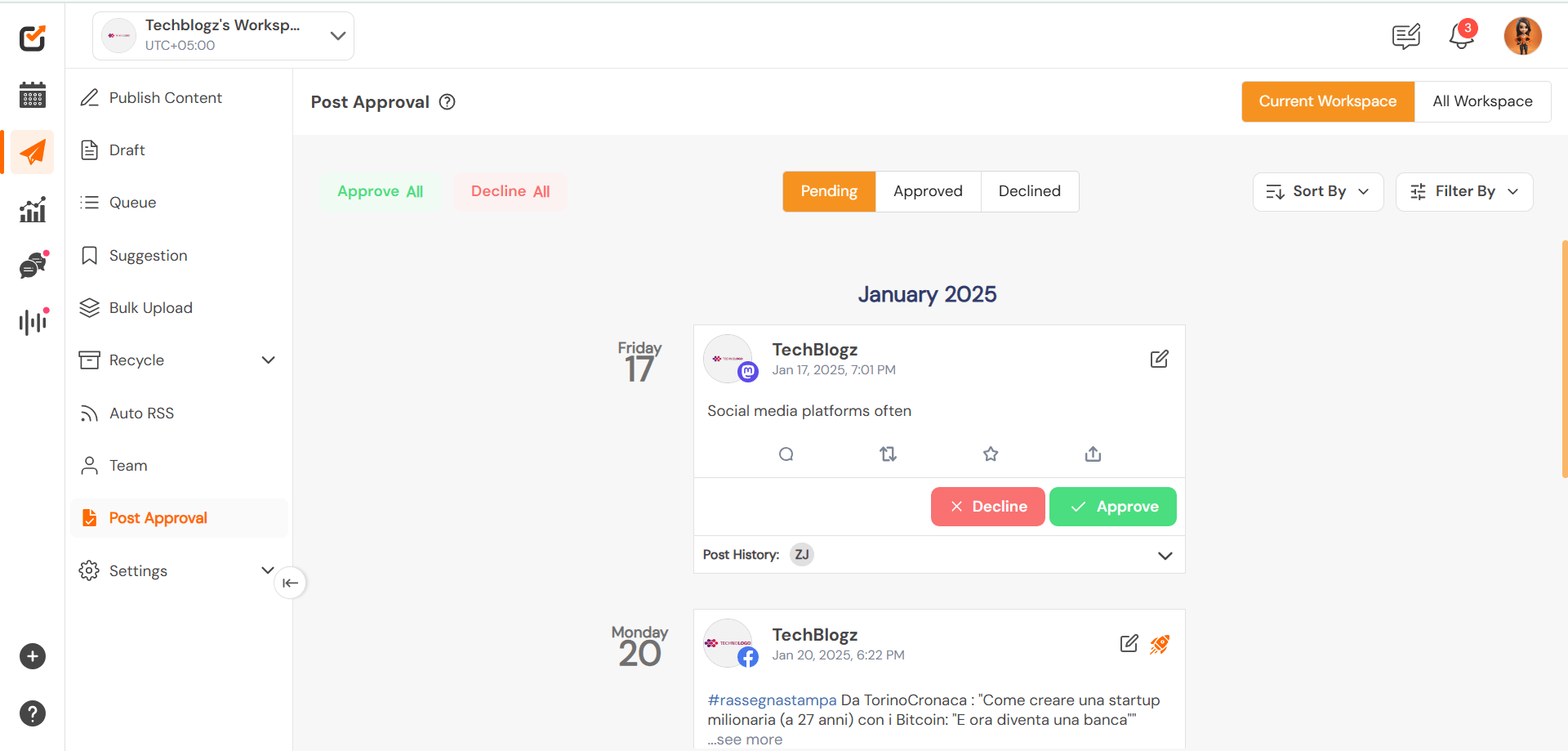
Social Champ’s Approval Workflows - Create comprehensive analytics by breaking down engagement, reach, and content performance into exportable, white-labeled reports.
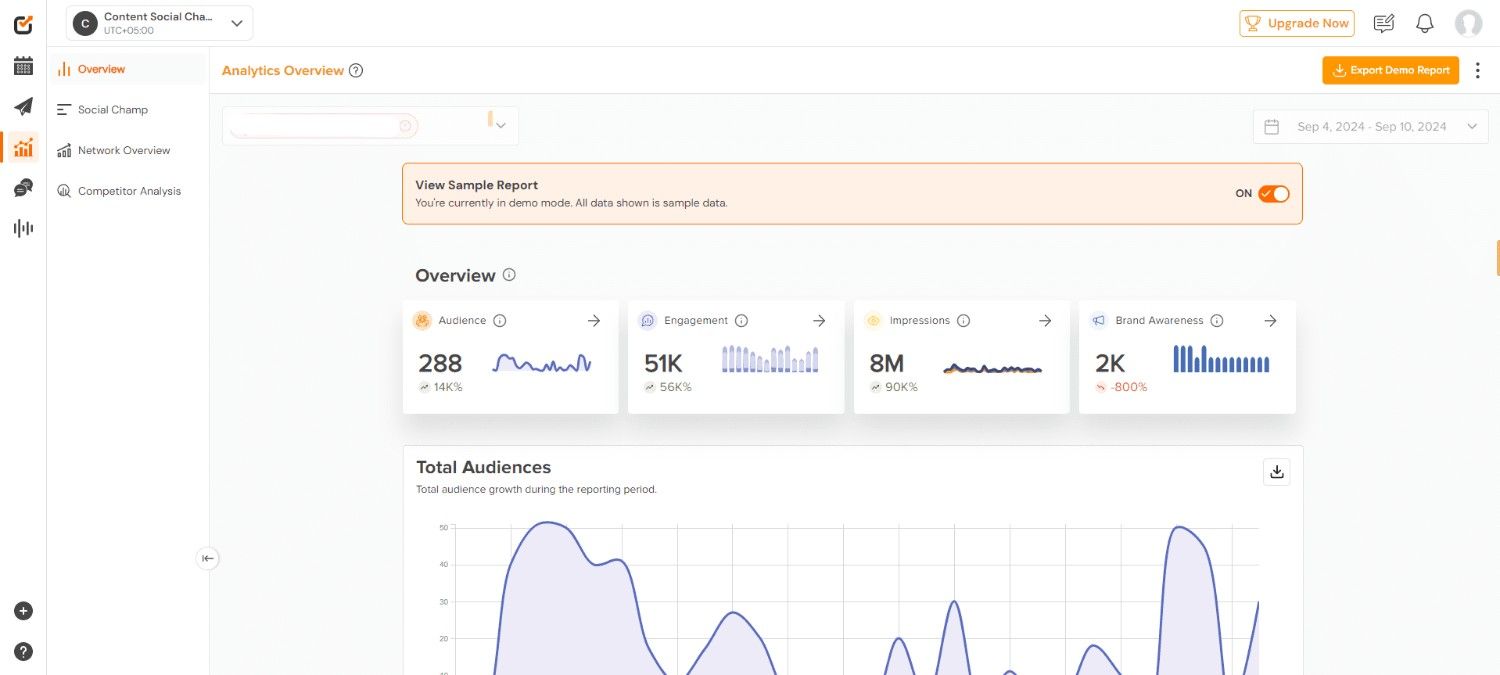
Social Champ’s Analytics - To improve your social strategy, keep an eye on your brand mentions, competitor activity, and industry trends.
Pricing
Plan Price Key Features Free $0 3 Social Accounts, 15 Scheduled Posts (Total), 1 User, 1 Workspace, Basic Analytics (2 weeks), Help Center Support, Social Inbox Starter $4/month/channel 1 Social Account (Scalable), Unlimited Posts, 1 User, 1 Workspace, Detailed Analytics (6 months), Email & Chat Support, Bulk Upload, Boost Ads Growth $8/month/channel 1 Social Account (Scalable), Unlimited Posts, Unlimited Users, Unlimited Workspaces, Advanced Analytics + White-label, Priority Support, Social Listening, Approvals Enterprise Custom Pricing Custom Social Accounts, Unlimited Posts, Unlimited Users & Workspaces, Custom Reporting, 1-on-1 Dedicated Support, SSO, API Access, Onboarding Pros
- Affordable for small teams & startups
- Supports 12+ social platforms
- AI caption/idea tools included
- Unified inbox & team workflows
Cons
- The mobile app is less intuitive than the desktop
- Fewer social listening features than some competitors
Our Experience
In our experience, Social Champ delivers an impressive balance between functionality and affordability, making it one of the most practical alternatives to Sprout Social.
The dashboard is clean and intuitive, which allows teams to schedule, plan, analyze, and collaborate without a steep learning curve. Features like bulk scheduling, AI-assisted captions, unified inbox, and approval workflows make day-to-day management smooth and efficient.
We found it especially valuable for startups, small to mid-sized agencies, content creators, and growing brands that need strong publishing and reporting tools without committing to high enterprise-level pricing.
Why Pay More for the Same Features?
Social Champ gives you bulk scheduling, content recycling, team roles, and detailed reports without the hefty price tag of Sprout Social.
-
Hootsuite

Hootsuite’s Landing Page As one of the oldest social media management tools, Hootsuite provides a variety of features like social listening, comprehensive analytics, and teamwork tools.
Your needs determine the return on investment with this tool; larger businesses stand to gain the most with Hootsuite, while smaller teams might find it more expensive.
Because of its many features, ease of use can be a challenge, but once mastered, it’s a strong tool. With its wealth of training materials and customer service, Hootsuite is a dependable yet expensive option.
Key Features
- Planning and scheduling posts on Facebook, Instagram, X, LinkedIn, Pinterest, and YouTube, using a visual content calendar.
- Integrated media library, draft management, and post editor.
- Customizable reports and cross-platform analytics.
- Real-time tracking of keywords, mentions, and hashtags using social listening streams.
- Ad campaign management for Facebook, Instagram, and LinkedIn directly within the dashboard.
- Permissions and team assignments for improved internal processes.
- Strong analytics and customizable reporting
- Robust social listening and keyword monitoring
- Scales well for medium to large organizations
- Established platform with extensive training resources
- Wide range of integrations and enterprise tools
- Higher pricing compared to many modern alternatives
- The interface can feel overwhelming for beginners
- Advanced features are locked behind higher-tier plans
- Per-user pricing can increase costs quickly
-
Agorapulse
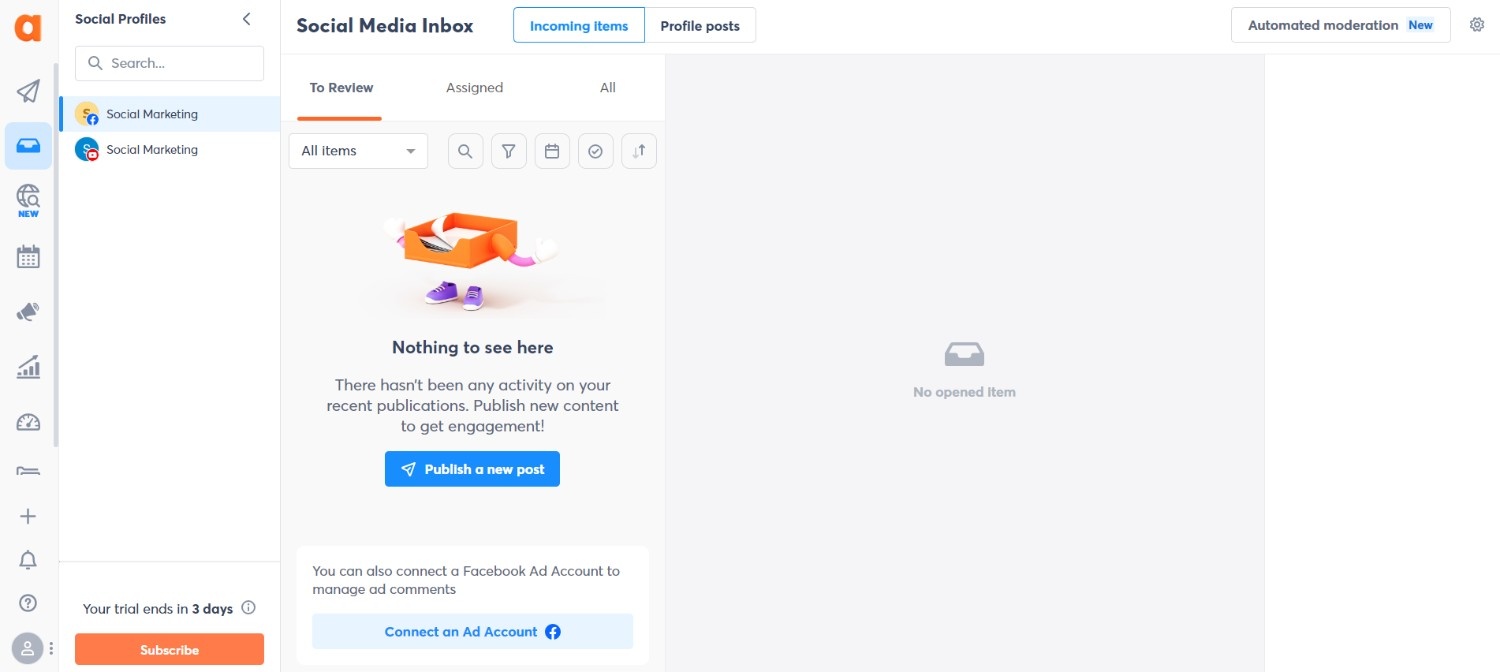
Agorapulse’s Dashboard Agorapulse stands out with its social ROI tracking feature, giving businesses clear insights into how campaigns drive results. Its social inbox combines the interactions, including all comments and messages from various platforms.
When compared to Sprout, ROI is outstanding because it offers premium features at a lower cost.
It’s easy to use, and their support staff is frequently complimented for being informed and quick to respond. It’s perfect for teams looking for insights without having to pay for enterprise services.
Key Features
- A single inbox that houses all of the conversations.
- Strong tools for analyzing competitors to help you stay ahead of the game.
- Effective cooperation through clearly defined roles and responsibilities within the team.
- A well-planned publishing schedule for methodical content creation.
- A CRM that is integrated and intended to improve customer relationships.
- ROI reporting that demonstrates the effectiveness of social media campaigns.
- Unified inbox for all comments and messages
- Clear ROI reporting and competitor analysis
- Intuitive publishing and scheduling workflows
- White-label reporting is available on higher plans
- Strong engagement tools for community-focused teams
- Can feel pricier than basic schedulers
- Some advanced features vary by plan
- Less focused on social listening than niche tools
-
NapoleonCat
NapoleonCat’s Landing Page You might not have heard of NapoleonCat as much as other social media management tools, but it truly stands out for its engagement management and moderation.
Its automation tools save time and increase return on investment by handling repetitive tasks. Even though its analytics are good, brands that handle a lot of comments will find it especially helpful.
Although the community is smaller than that of well-known competitors, support is still beneficial.
Key Features
- Facebook, Instagram, X, LinkedIn, and Google Business Profile reviews, comments, and messages are all collected in one location.
- Smart rules that minimize spam and save time by automatically hiding, deleting, or responding to messages and comments.
- A cooperative calendar for organizing and publishing content on popular platforms.
- Team response times and support performance metrics are tracked in detail.
- Engagement metrics, post-level insights, and exportable PDF reports for client or internal use.
- Smart automation rules reduce manual moderation
- Unified inbox for all comments and reviews
- Clean team workflows and collaboration tools
- Detailed engagement metrics and response time tracking
- Time‑saving features for high‑interaction accounts
- Smaller community and ecosystem compared to bigger brands
- Analytics depth isn’t as robust as enterprise tools
- Advanced automation may take time to configure
-
Loomly
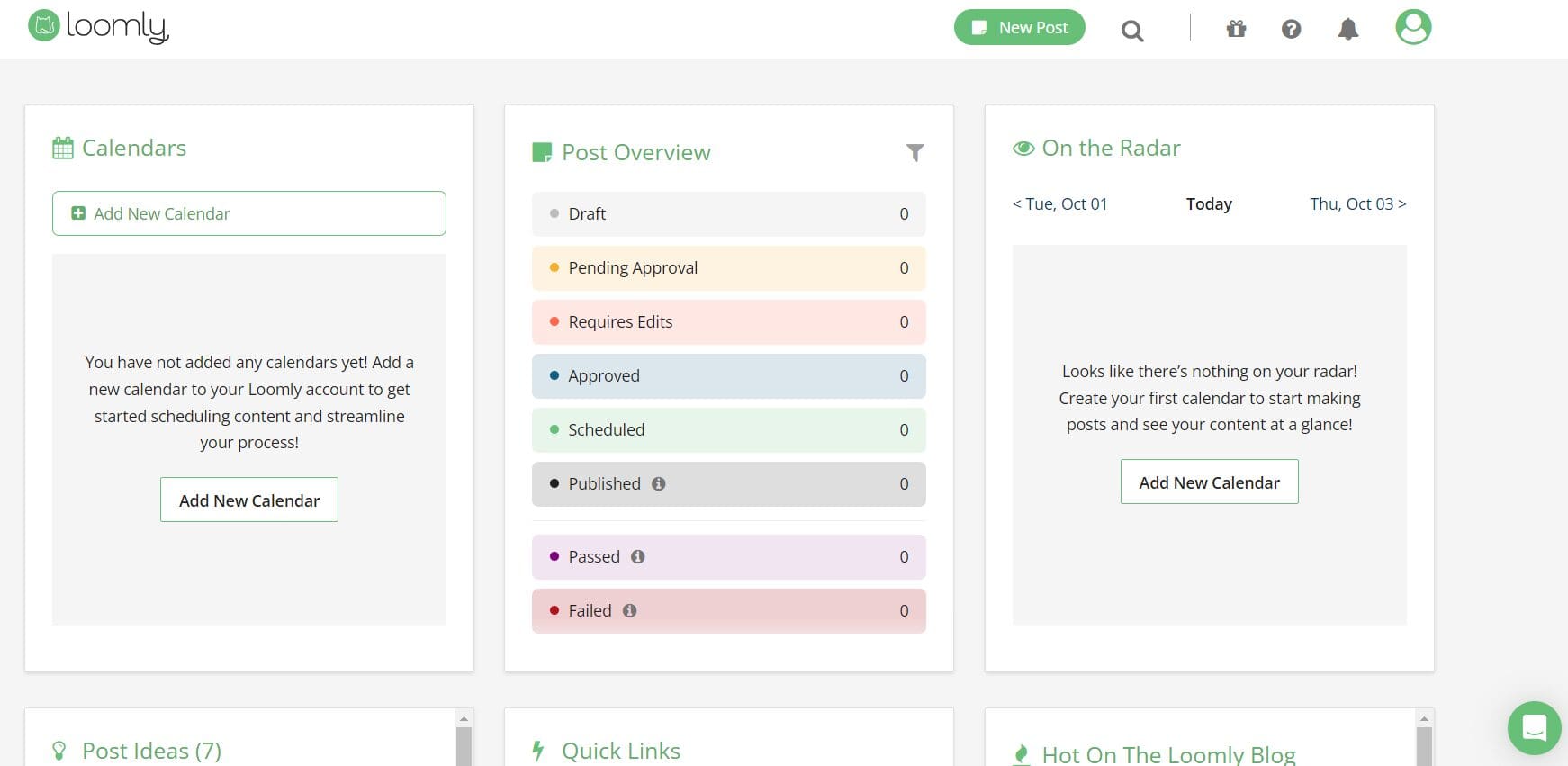
Loomly’s Dashboard Loomly is popular among creative teams and agencies for its visual content calendar and approval workflows.
For teams that appreciate structure in their planning process, the return on investment is strong. Even less tech-savvy marketers can use it because of its clear and simple interface.
It also offers strong support with knowledge-based materials and responsive chats. Although it might not provide the most comprehensive analytics, it is excellent at organizing content and facilitating teamwork.
Key Features
- Facebook, Instagram, LinkedIn, Pinterest, Google Business Profile, TikTok, YouTube, Threads, and Snapchat are among the popular platforms that are supported.
- Real-time post optimization recommendations and integrated content inspiration.
- Personalized approval procedures that include internal remarks, roles, and permissions.
- Previews that show the appearance of posts on various platforms prior to publication.
- A centralized library for managing, reusing, and storing document, video, and image assets.
- Instagram direct publishing is one of the major networks’ native scheduling and publishing options.
- Intuitive visual content calendar and approval workflows
- Easy collaboration for teams of all sizes
- Supports multiple social media platforms, including TikTok, Instagram, and LinkedIn
- Clear post previews before publishing
- Knowledge-based support and responsive customer service
- Analytics are not as comprehensive as some competitors
- Limited automation compared to enterprise tools
- Pricing can increase significantly with larger teams
-
Later
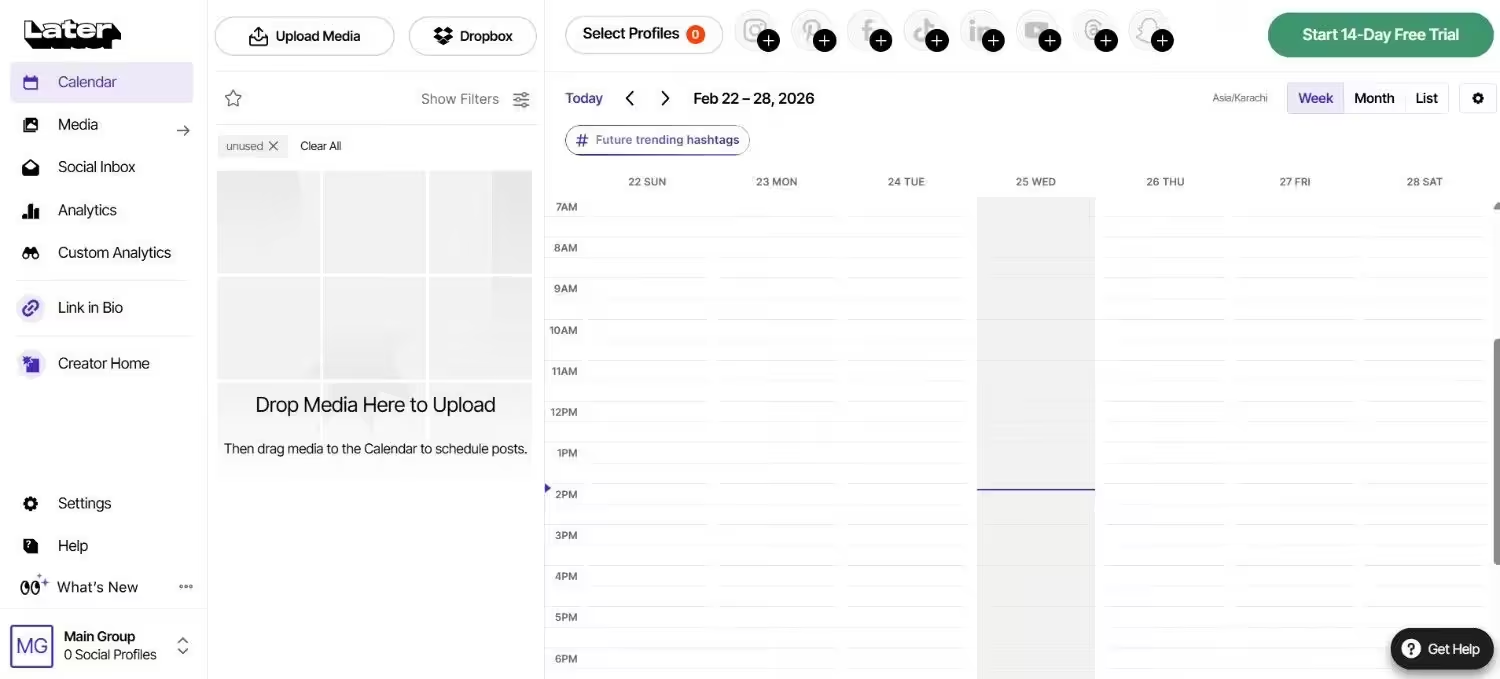
Later’s Dashboard Later is perfect for fashion, lifestyle, and e-commerce brands because it was developed with Instagram and visual content in mind.
For creators looking to monetize their work, its drag-and-drop calendar, AI caption tools, and “link in bio” features yield a high return on investment.
With its straightforward interface and visual previews, it’s among the simplest tools to learn. Support is good, but its analytics might not be as comprehensive as Sprout’s, especially for more sophisticated brands.
Key Features
- Drag-and-drop scheduling for a visual content calendar.
- AI-driven content concepts and caption writing.
- Incorporated “Link in Bio” feature to increase traffic from Instagram’s media library, which stores and arranges branded images.
- In-app analytics to monitor performance, reach, and engagement.
- Social Inbox for handling direct messages and comments.
- Simple social listening instruments for monitoring brand mentions.
- Drag-and-drop visual content calendar
- AI-assisted caption suggestions and content ideas
- “Link in Bio” feature for driving traffic
- Simple scheduling for Instagram, TikTok, Facebook, Pinterest, and X
- Beginner-friendly interface
- Limited analytics compared to Sprout Social
- Some features are only available on higher-tier plans
- Less suited for teams needing deep reporting or enterprise tools
-
Metricool
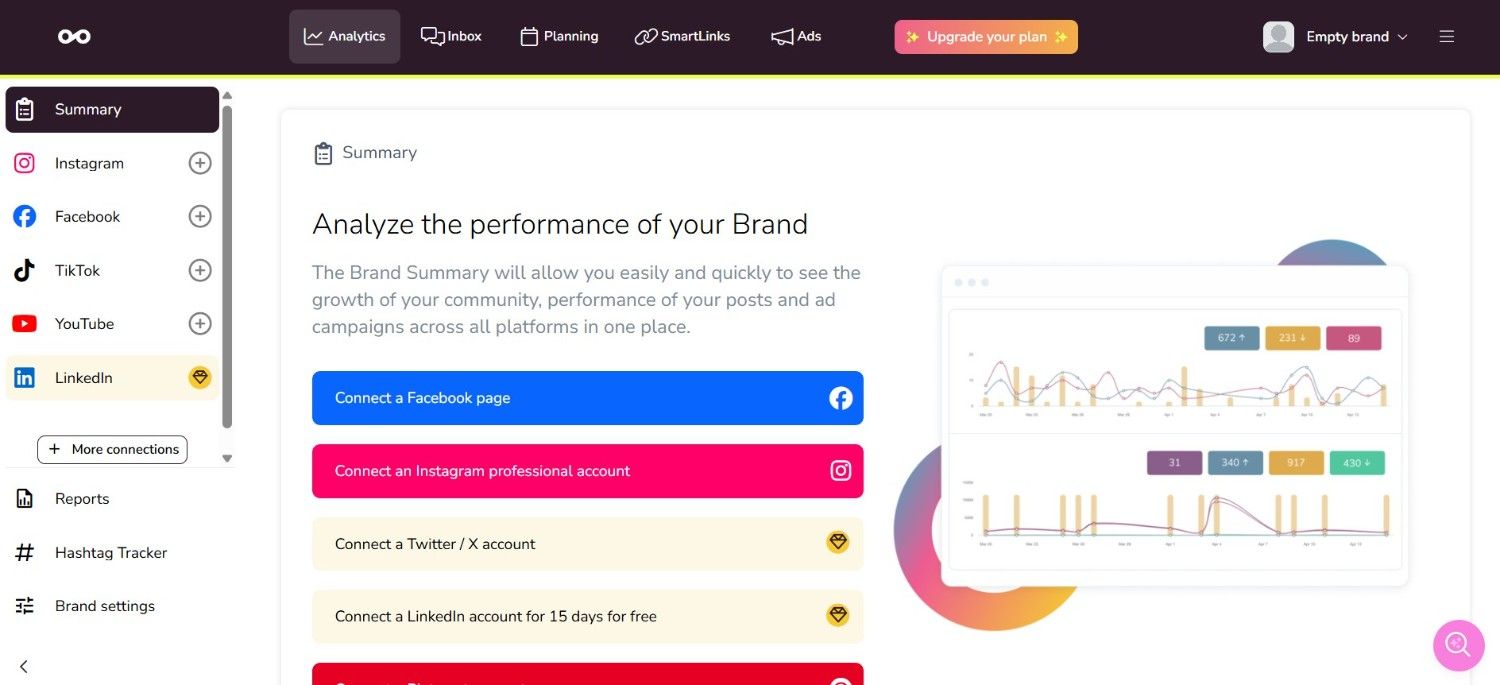
Metricool’s Dashboard Metricool markets itself as a comprehensive platform for scheduling and analytics.
Giving detailed performance insights across blogs, social media, and even advertisements is how it generates return on investment. Because of the dashboard’s simplicity, tracking what works across channels is simple.
Although it might lack Planable’s or Loomly’s collaborative capabilities, data-driven teams greatly value it.
Key Features
- Planning and scheduling content for Facebook, Instagram, LinkedIn, TikTok, X, Pinterest, YouTube, and Google Business Profile is made easier with this visual calendar.
- Analytics on posts, advertisements, and audience behavior in real time.
- White-labeled reports that can be downloaded for internal and client use.
- Message and inbox management for effective interaction.
- SmartLinks for tracking traffic and optimizing Instagram bios.
- Using third-party integrations and user permissions for team collaboration.
- Comprehensive scheduling and analytics across multiple platforms
- Visual calendar simplifies planning and publishing
- Real-time insights on posts, ads, and audience behavior
- White-labeled reports available for clients or internal use
- Team collaboration with user permissions
- Less advanced collaboration than other tools
- Analytics depth may not satisfy large enterprises
- Some integrations are limited to higher-tier plans
-
SocialPilot
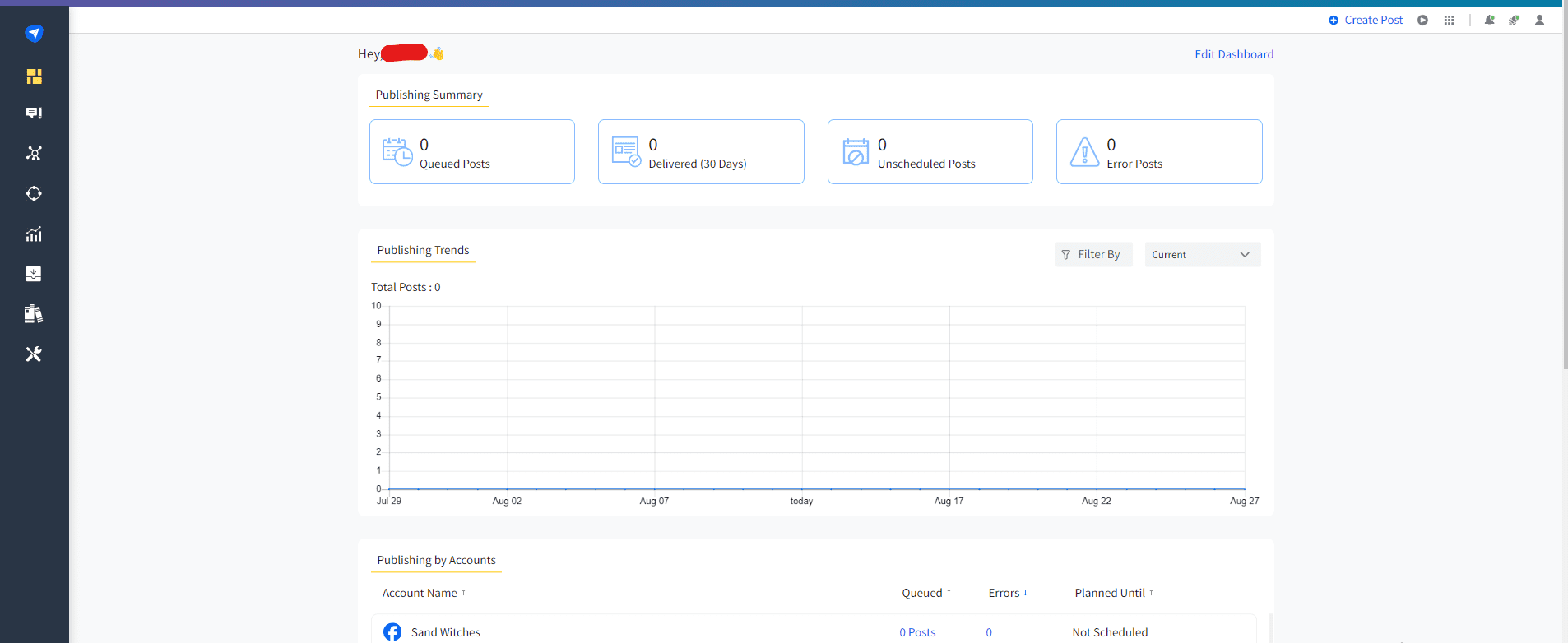
SocialPilot’s Dashboard SocialPilot is another tool that is widely praised for its balance of features, usability, and affordability. Because it provides sophisticated scheduling, client approval processes, and analytics at a significantly lower cost than Sprout, its ROI is outstanding.
Although the platform is scalable for agencies handling numerous accounts, it is sufficiently easy for novices. Support is a reliable choice for expanding businesses because it is regularly rated as responsive.
Key Features
- Bulk scheduling that saves time and enables large-scale publishing.
- Tools specifically made for the smooth management of numerous clients.
- A visual content calendar for well-organized and planned posts.
- Reports with a white label that give stakeholders or clients branded insights.
- Integrated collaboration tools that maintain team productivity.
- Affordable platform for agencies and small businesses
- Bulk scheduling and client management tools
- Visual content calendar for easy planning
- White-labeled reports for stakeholders or clients
- Team collaboration and approval workflows
- Some advanced analytics require higher-tier plans
- Interface can feel less modern than newer competitors
- Social listening features are limited
-
Sendible
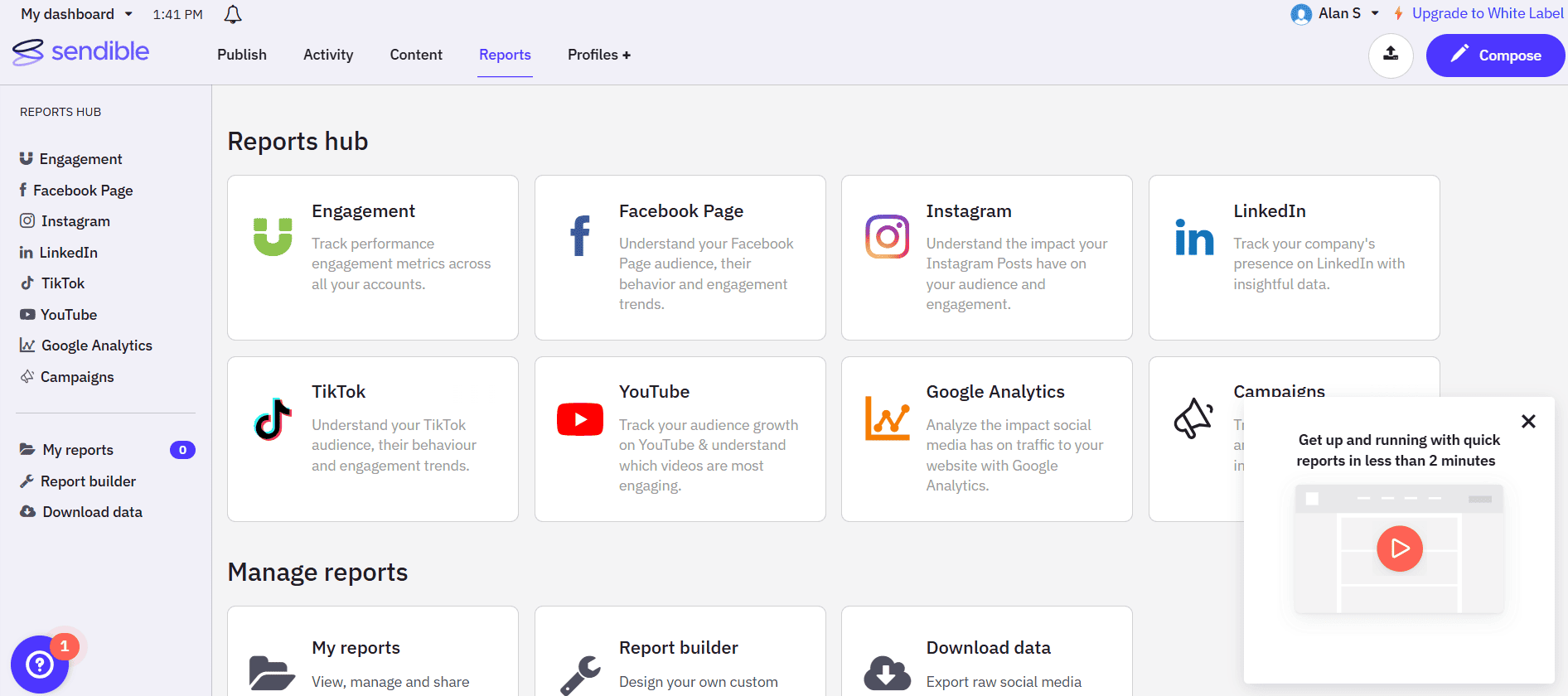
Sendible’s Dashboard Sendible is designed with agencies in mind, with features like client dashboards, white-label reporting, and content approval workflows.
It simplifies reporting and brand management; its return on investment is high for companies with several clients. The interface is clear and simple. For higher plans, dedicated account assistance is available, and customer service is prompt.
Key Features
- Plan and post content to Google Business Profile, Instagram, YouTube, LinkedIn, Facebook, X, and other platforms.
- Integrated tools for content curation to identify and distribute popular articles.
- Bulk scheduling, recurrent posts, and intelligent queues.
- Unified inbox for account-wide engagement management.
- Personalized reports and dashboards for customers.
- Team-specific collaboration tools, user roles, and approvals.
- Designed for agencies managing multiple clients
- White-labeled reporting and client dashboards
- Bulk scheduling, recurrent posts, and intelligent queues
- Unified inbox for engagement management
- Flexible team roles and approval workflows
- Can be overwhelming for smaller teams
- Advanced features are limited to higher-tier plans
- Analytics can be less intuitive than some competitors
-
Buffer
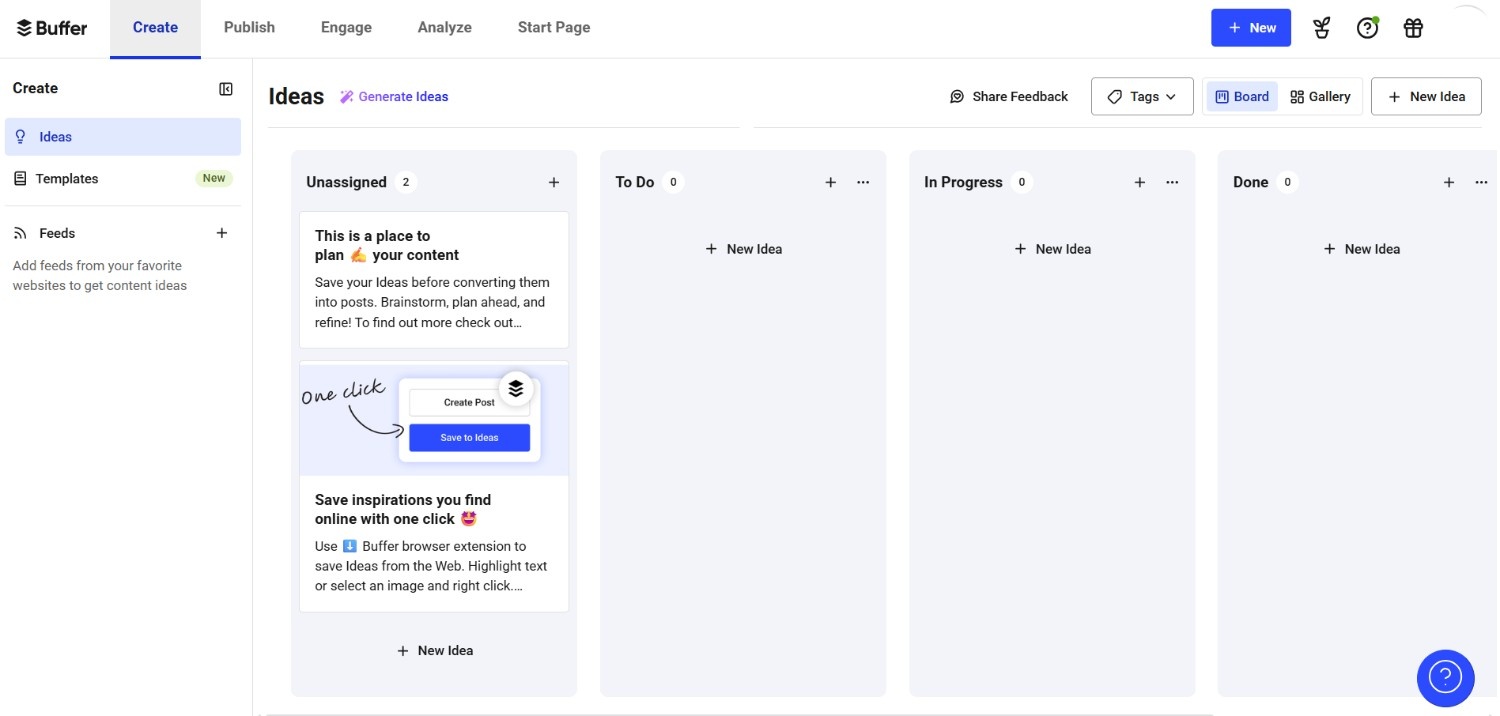
Buffer’s Dashboard One of the easiest and least expensive substitutes for Sprout is Buffer.
It offers small businesses and individuals a great return on investment (ROI) with its AI writing tools, easy scheduling, and generous free tier.
Because of its simplicity, anyone can use it without any training. Although it lacks enterprise-level analytics, users who value affordability and simplicity choose it because of its support and user-friendliness.
Key Features
- Scheduling and publishing content on various platforms is made easy.
- An engagement dashboard shows the tracking of interactions in real time.
- Basic analytics are available to track overall performance.
- A link-in-bio tool for the Start Page that allows you to share important links in one location.
- AI support for coming up with original post ideas and captions.
- Simple and beginner-friendly interface
- Affordable pricing for small businesses and solopreneurs
- Easy scheduling across multiple social media platforms
- Basic analytics to track engagement
- AI-supported tools for post ideas and captions
- Lacks advanced analytics and reporting
- Limited collaboration features for larger teams
- Some features require higher-tier plans
-
SocialBee
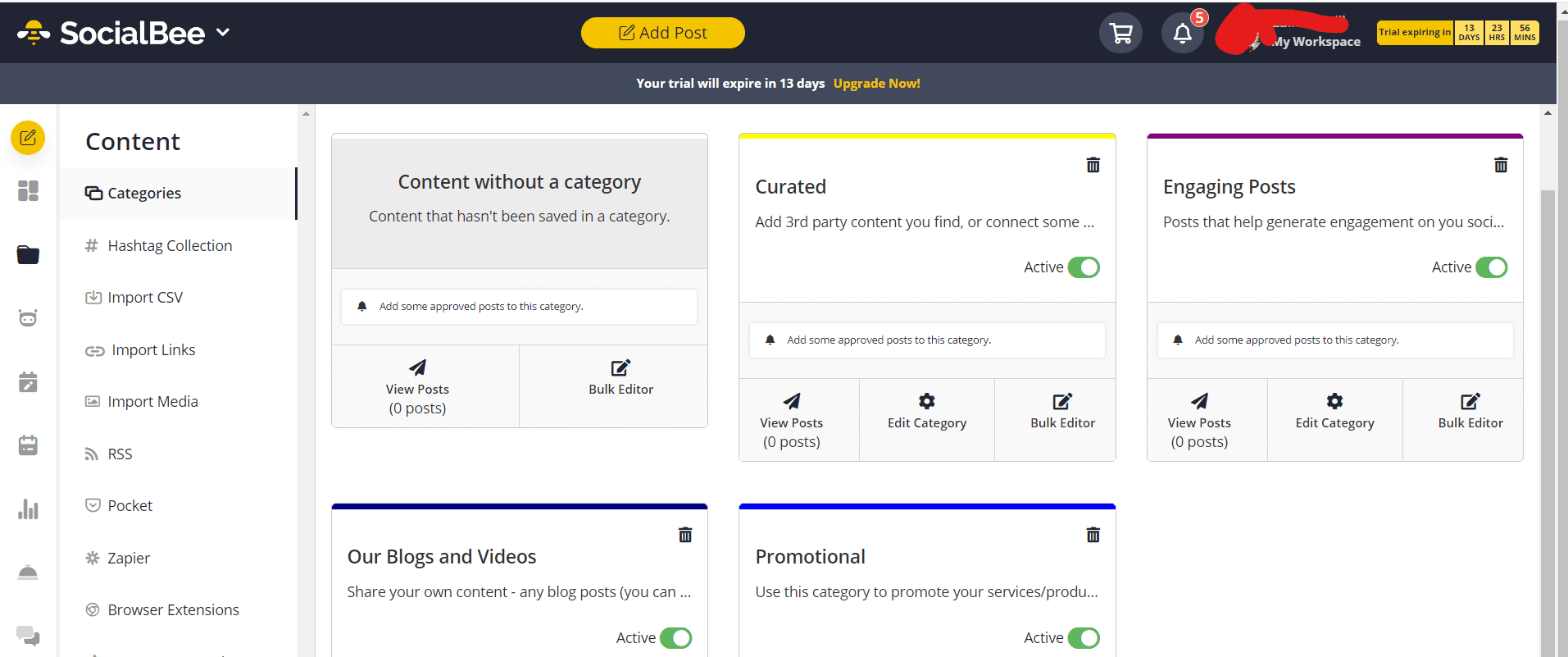
SocialBee’s Dashboard SocialBee stands out with its content categorization feature, letting users recycle evergreen posts while balancing fresh content.
For users who wish to increase content visibility with the least amount of work, this produces a strong return on investment. The platform has a structured scheduling workflow and is easy to use even for beginners. Users frequently praise the beneficial onboarding process, and support is dependable.
Key Features
- Increased value through clever categorization and content recycling.
- From a single dashboard, post scheduling is available on all major platforms.
- Unique URLs with tracking to gauge the effectiveness of campaigns.
- Zapier integration simplifies workflow automation.
- Clever content categorization and recycling
- Scheduling across all major social media platforms from one dashboard
- Easy-to-use, structured workflow for beginners
- Integration with Zapier for workflow automation
- Strong onboarding support for new users
- Advanced analytics is limited to higher-tier plans
- Fewer integrations compared to some competitors
- Some features may feel basic for enterprise teams
-
Planable
Planable’s Dashboard Planable is made to facilitate smooth team workflows with real-time collaboration, approval chains, and visual previews. For marketing teams or agencies that require precise procedures for content approvals, the return on investment is high.
Teams can see posts exactly as they will appear before publishing, which makes it incredibly user-friendly. Direct and prompt assistance is provided, along with resources specifically designed for agencies.
Key features
- Collaborative post editing in real time with approvals and comments
- A calendar of visual content for various social media platforms
- Previews of posts on each platform side by side
- Engagement tools to monitor responses and respond to comments
- Fundamental performance metrics for post-insights
- Facebook, Instagram, LinkedIn, YouTube, TikTok, X, and Google Business Profile are all supported.
- Real-time collaborative post editing and approvals
- Visual content calendar across multiple platforms
- Engagement monitoring and response tools
- Clear post previews to reduce publishing errors
- Designed for agencies and marketing teams
- Advanced analytics is limited compared to enterprise tools
- Fewer automation options than some competitors
- May require additional training for very large teams
-
CoSchedule
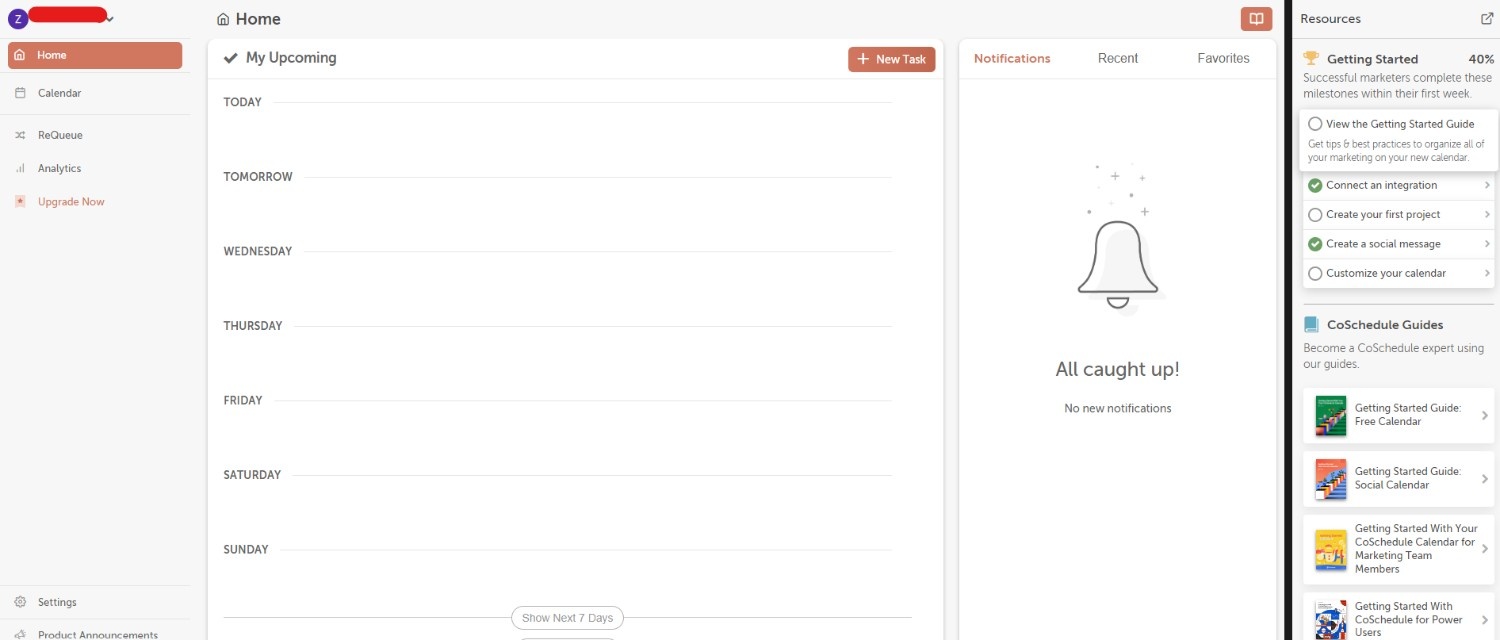
CoSchedule’s Dashboard CoSchedule is another good tool for teams that focus more on content. It provides a single marketing calendar that includes projects, blogs, and email campaigns.
Teams that wish to coordinate all marketing efforts in one location will see the highest return on investment with CoSchedule. However, you may require more training to use this tool, as compared to tools like Social Champ, Buffer, or Later, because the platform is more structured.
Particularly for premium users, support is strong, and their educational materials are comprehensive.
Key Features
- Centralized marketing calendar for tasks, emails, blogs, and social media posts.
- AI-driven content assistant for more efficient brainstorming and writing.
- Bulk scheduling for social media publishing on popular platforms.
- Project management features like approval processes and task assignments.
- Performance dashboards to monitor campaign success, team output, and post metrics.
- Centralized marketing calendar for social, blog, and email campaigns
- Project management features with approvals and task assignments
- AI-driven content assistant for brainstorming and writing
- Bulk scheduling across multiple platforms
- Performance dashboards to monitor campaigns and team output
- Steeper learning curve compared to simpler tools
- Advanced analytics and reporting mainly for higher-tier plans
- Less suited for very small teams or solopreneurs
-
ContentStudio
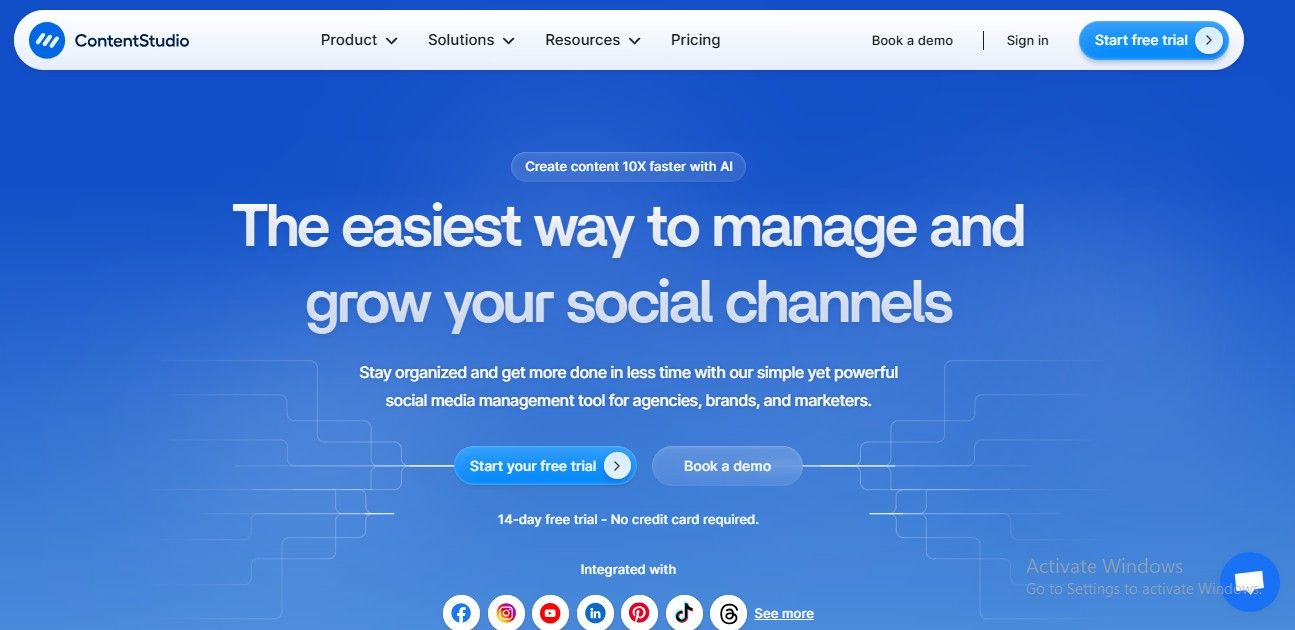
ContentStudio’s Landing Page ContentStudio offers analytics, social scheduling, and content curation on a single dashboard. Teams managing a large amount of content across several platforms will find it ideal. The interface is effective for both analysts and marketers because it strikes a balance between depth and usability.
Although it might take some time to become proficient with some advanced features, customer service is dependable.
Key Features
- A single dashboard for controlling several social media accounts and posting blog entries to Medium or WordPress.
- Finding and curating trending content that keeps your brand current and engages your audience.
- Publishing curated content, evergreen posts, or RSS feeds using rules-based automation.
- Advanced analytics provides white-label reports and platform-specific insights.
- Collaboration tools facilitate task assignment, content review, and expedited approvals.
- All-in-one platform for content curation, scheduling, and analytics
- Automation rules for posting evergreen content or RSS feeds
- Trend discovery to stay updated with industry content
- Collaboration tools for assigning tasks and approvals
- White-label reporting for clients
- Some advanced features require higher-tier plans
- Slight learning curve due to the wide range of features
- The interface can feel busy for beginners
-
Zoho Social
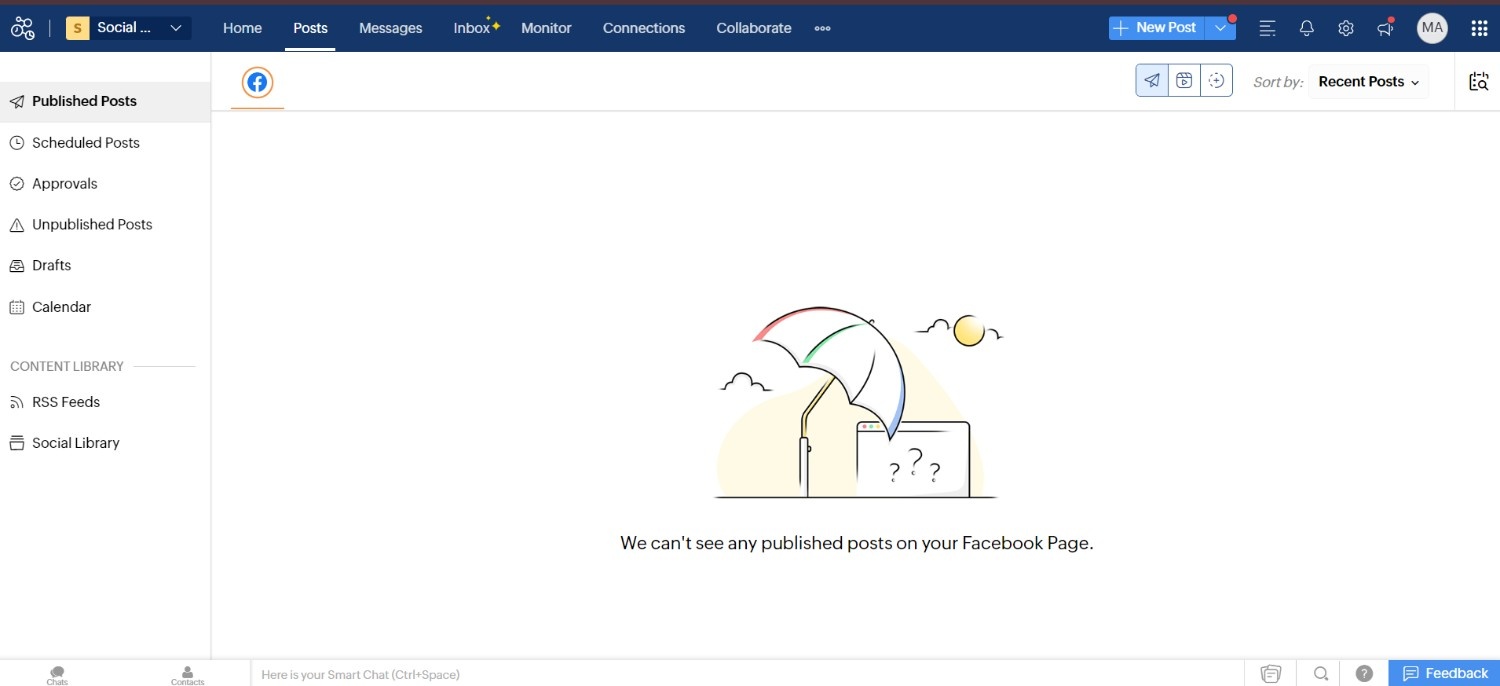
Zoho Social’s Dashboard Businesses that already use Zoho CRM, Desk, or other Zoho tools will find Zoho Social to be a great option due to its integration with the larger Zoho ecosystem.
With AI-powered features, a unified inbox, and sophisticated analytics, the platform is user-friendly. Particularly in the Zoho One subscription, support is highly regarded.
Key Features
- Plan postings on Google Business Profile, LinkedIn, Pinterest, Instagram, Facebook, and X (Twitter).
- Keyword tracking, custom streams, and real-time brand monitoring.
- Workflows for team collaboration in publishing and approval.
- Integrated social inbox for central conversation management.
- Smooth interaction with Zoho CRM for social media tactics that support sales.
- Performance analytics with post insights and reports that can be customized.
- Smooth integration with Zoho CRM and other Zoho products
- AI-powered features for content recommendations and analytics
- Unified inbox for central conversation management
- Scheduling, approval workflows, and collaboration tools
- Detailed performance reports with customizable insights
- Some advanced analytics and features require higher-tier plans
- Limited third-party integrations outside the Zoho suite
- Interface can feel overwhelming for absolute beginners
Pricing
| Plan | Price | Key Features |
|---|---|---|
| Standard | $199/user/month | Up to 10 Social Accounts, 1 User, Unlimited Posts, Performance Data Analytics |
| Advanced | $399/user/month | Unlimited Social Accounts, 1 User (Team Options Available), Unlimited Posts, Exportable Reports |
| Enterprise | Custom | Demo Available, Custom Social Accounts, Unlimited Users, Unlimited Posts, Custom Analytics |
Pros
Cons
Our Experience
In our experience, Hootsuite is a powerful and structured platform best suited for mid-sized to large organizations that need advanced analytics, layered team permissions, and strong social listening capabilities.
The dashboard can feel dense at first, especially for smaller teams, but once configured properly, it becomes a highly efficient system for managing multiple brands or regions.
While the pricing is higher compared to newer Hootsuite alternatives, the depth of reporting, monitoring streams, and enterprise integrations makes it a reliable choice for businesses prioritizing scalability and detailed performance tracking over simplicity.
Pricing
| Plan | Price | Key Features |
|---|---|---|
| Standard | $79/user/month | 10 Social Profiles, Unlimited Posts, 1 User, 1 Workspace, Unified Inbox, Unified Calendar |
| Professional | $119/user/month | 10 Social Profiles, Unlimited Posts, 1 User, Unlimited Workspaces, Team Approvals, Canva Integration |
| Advanced | $149/user/month | 10 Social Profiles, Unlimited Posts, 1 User, Unlimited Workspaces, Power Reports, Advocacy Tools |
| Custom | Custom Pricing | Unlimited Social Profiles, Unlimited Posts, Custom Users, Unlimited Workspaces, ROI Tracking, Dedicated Support |
Pros
Cons
Our Experience
In our experience, Agorapulse stands out as an excellent choice for teams that want engagement and performance insights without enterprise complexity. The unified inbox makes managing conversations across channels feel far less scattered, and its analytics help teams demonstrate campaign impact clearly.
While it isn’t the cheapest alternative on the list, its balance of usability and depth makes it especially valuable for mid-sized businesses, community-centric social teams, and agencies that need solid reporting without high overhead.
We recommend it for teams that care about relationship building and measurable outcomes more than feature overload.
Pricing
| Plan | Starting Price | Key Features |
|---|---|---|
| Standard | $79/month | 5 Social Profiles, 2 Users, Unlimited Post Scheduling, Basic Social Inbox, Basic Analytics & Reporting |
| Pro | $89/month | 5 Social Profiles, 2 Users, Unlimited Post Scheduling, Full Social Inbox, Ad Moderation & Saved Replies |
| Expert | $119/month | 5 Social Profiles, 2 Users, Unlimited Post Scheduling, Full Social Inbox, AI Auto-Moderation & Sentiment Analysis |
| Enterprise | $465/month | Custom Social Profiles, Unlimited Users, Unlimited Post Scheduling, Full Social Inbox, API Access & Dedicated Support |
Pros
Cons
Our Experience
In our experience, NapoleonCat shines for teams where engagement volume and moderation are top priorities. Its automation tools, especially smart rules for hiding, deleting, or auto‑responding to comments, cut out repetitive work and help social teams stay responsive without manual effort.
While the analytics are solid, they aren’t as extensive as some enterprise‑tier platforms, but the trade‑off is a smoother experience focused on the conversation itself.
We found NapoleonCat to be a strong fit for e‑commerce brands, community‑driven accounts, and high‑volume comment environments that want to save time with smart productivity tools while keeping engagement consistent and manageable.
Pricing
| Plan | Price | Key Features |
|---|---|---|
| Free | $0 | 3 Social Accounts, 1 User, 5 Posts/Month, No Approval Workflow, Canva & Giphy, Hashtag Manager |
| Starter | $49/month | 12 Social Accounts, 3 Users, Unlimited Posts, Standard Approval Workflow, Bulk Scheduling, Best Time to Post |
| Beyond | $249/month | 60 Social Accounts, Unlimited Users, Unlimited Posts, Custom Workflows, Custom Branding, Slack/Teams Integration |
| Enterprise | Custom | 60+ Social Accounts, Unlimited Users, Unlimited Posts, Custom Approval Workflow, Priority Support, Dedicated Manager |
Pros
Cons
Our Experience
In our experience, Loomly is perfect for creative teams and agencies that prioritize content planning and collaboration. Its visual calendar and post previews make it easy to align campaigns with brand standards, while the approval workflows keep teams organized.
Although it may not offer the deepest analytics, it excels at helping teams consistently produce high-quality content across platforms. We found it especially valuable for teams managing TikTok campaigns, scheduling posts efficiently, and determining the best time to post on TikTok to maximize engagement.
Pricing
| Plan | Price | Key Features |
|---|---|---|
| Starter | $18.75/month | 1 Social Set (8 Profiles), 1 User, 30 Posts/Profile, 5 AI Credits/Month, 3 Months Analytics |
| Growth | $37.50/month | 2 Social Sets (16 Profiles), 2 Users, 180 Posts/Profile, 50 AI Credits/Month, 1 Year Analytics |
| Scale | $82.50/month | 6 Social Sets (48 Profiles), 4 Users, Unlimited Posts/Profile, 100 AI Credits/Month, 2 Years Analytics |
Pros
Cons
Our Experience
In our experience, Later is an excellent choice for visual brands, creators, and small businesses that want an easy-to-use scheduling tool without paying high enterprise prices. Its drag-and-drop calendar and AI caption tools make content planning and publishing simple and efficient.
For teams exploring alternatives, it’s clear why many choose this platform as it combines affordability, ease of use, and strong visual planning features, making it an excellent choice for content-driven social strategies.
Pricing
| Plan | Starting Price | Key Features |
|---|---|---|
| Free | $0 | 1 Brand, 1 User, 20 Scheduled Posts/Month, 1–3 Months Analytics History, No Team Access |
| Starter | $20/month | 5–10 Brands, Unlimited Post, Unlimited Analytics History, No Team Access |
| Advanced | $53/month | 15–50 Brands, Unlimited Post, Unlimited Analytics History, Team Access |
| Custom | Custom Pricing | 50+ Brands, Unlimited Post, Unlimited Analytics History, Team Access |
Pros
Cons
Our Experience
In our experience, Metricool is ideal for marketers, creators, and small agencies that want a clear, all-in-one platform for both content scheduling and analytics. Its visual calendar and performance tracking make planning campaigns straightforward, while real-time insights help teams quickly adapt their strategy.
For those looking for cost-effective options with robust analytics and team collaboration, Metricool is a solid choice among Sprout Social alternatives, especially for teams that value simplicity and actionable data.
Pricing
| Plan | Price | Key Features |
|---|---|---|
| Essentials | $25.50/month | 7 Social Accounts, 1 User, 500 AI Credits, Standard Support, No White Labeling |
| Standard | $42.50/month | 15 Social Accounts, 3 Users, 1,000 AI Credits, Standard Support, No White Labeling |
| Premium | $85/month | 25 Social Accounts, 6 Users, Bulk Scheduling, 5,000 AI Credits, Priority Support, White Label Reports |
| Ultimate | $170/month | 50 Social Accounts, Unlimited Users, Unlimited AI Credits, Dedicated Manager Support, Advanced White Labeling |
Pros
Cons
Our Experience
In our experience, SocialPilot strikes a great balance between affordability and functionality. Its scheduling, reporting, and collaboration tools make managing multiple accounts straightforward, while bulk publishing and client-specific features save time for agencies.
For teams seeking cost-effective solutions with strong usability, SocialPilot stands out as a reliable option among Sprout Social alternatives, and its flexible SocialPilot pricing makes it accessible for both small teams and growing agencies.
Pricing
| Plan | Price | Key Features |
|---|---|---|
| Creator | $25/month | 6 Social Profiles, 1 User, Unlimited Posts, Reporting & Monitoring |
| Traction | $76/month | 24 Social Profiles, 4 Users, Unlimited Posts, Client Dashboards & Team Approvals |
| Scale | $170/month | 49 Social Profiles, 7 Users, Unlimited Posts, Content Library & Custom Reports |
| Advanced | $255/month | 100 Social Profiles, 20 Users, Unlimited Posts, White-Labeling & Live Report Sharing |
| Enterprise | $638/month | 400 Social Profiles, 80 Users, Unlimited Posts, Optional SSO & Dedicated Support |
Pros
Cons
Our Experience
In our experience, Sendible is best suited for agencies and marketing teams that need to manage multiple clients efficiently. Its client dashboards, approval workflows, and customizable reporting make campaign management straightforward and professional.
While the platform may feel more complex for small teams, it excels in scalability and organization. For teams seeking a structured solution with strong multi-client support, Sendible is a top choice among Sprout Social alternatives.
Pricing
| Plan | Price | Key Features |
|---|---|---|
| Free | $0 | Up to 3 Social Channels, 1 User, 10 Scheduled Posts/Channel, AI Assistant Included |
| Essentials | $5/channel/month | 1 Social Channel (Scalable), 1 User, Unlimited Posts, Advanced AI Assistant, Advanced Analytics & Engagement Tools |
| Team | $10/channel/month | 1 Social Channel (Scalable), Unlimited Users, Unlimited Posts, Advanced AI Assistant, Approval Workflows & Permissions |
Pros
Cons
Our Experience
In our experience, Buffer is an intuitive and straightforward platform, ideal for small teams and solopreneurs who need simple scheduling and engagement tracking without complexity. Its clean interface and visual calendar make planning content fast and easy.
While it may not have the advanced analytics or enterprise features of some other tools, compared to newer Buffer alternatives, it remains a solid choice for users who value affordability, ease of use, and efficiency over heavy reporting.
Pricing
SocialBee Standard Plans (For Solopreneurs, Startups, and Small Teams)
| Plan | Price | Key Features |
|---|---|---|
| Bootstrap | $24/month | Up to 5 Social Profiles, 1 User / 1 Workspace, 3 Months Analytics History |
| Accelerate | $40/month | Up to 10 Social Profiles, 1 User / 1 Workspace, 2 Years Analytics History |
| Pro | $82/month | Up to 25 Social Profiles, 3 Users / 5 Workspaces, 2 Years Analytics History |
SocialBee Agency Plans (For Large Agencies and High-Volume Management)
| Plan | Price | Key Features |
|---|---|---|
| Pro50 (Small) | $149/month | Up to 50 Social Profiles, 5 Users / 10 Workspaces, 2 Years Analytics History |
| Pro100 (Medium) | $274/month | Up to 100 Social Profiles, 5 Users / 20 Workspaces, 2 Years Analytics History |
| Pro150 (Large) | $374/month | Up to 150 Social Profiles, 5 Users / 30 Workspaces, 2 Years Analytics History |
Pros
Cons
Our Experience
In our experience, SocialBee is ideal for teams and solopreneurs who want a structured way to manage and recycle content efficiently. Its content categorization and scheduling features save time while keeping feeds active and engaging.
While not as feature-heavy as some enterprise tools, compared to other Sprout Social alternatives, SocialBee provides a balanced mix of simplicity, automation, and ROI, making it perfect for content-focused small businesses and marketing teams.
Pricing
| Plan | Price | Key Features |
|---|---|---|
| Free | $0 | 50 Posts Total, Unlimited Experience, No Approval Types, Feed View |
| Basic | $33/workspace/month | 60 Posts/Workspace, 4 Social Pages/Workspace, Unlimited Users, 2 Approval Types, Feed & Calendar Views |
| Pro | $49/workspace/month | 150 Posts/Workspace, 10 Social Pages/Workspace, Unlimited Users, 3 Approval Types, Feed, Calendar, Grid & List Views |
| Enterprise | Custom | Unlimited Posts, Unlimited Social Pages, Unlimited Users, Multi-level Approval, All Views |
Pros
Cons
Our Experience
In our experience, Planable shines for marketing teams and agencies that need a clear, collaborative workflow. The ability to see posts exactly as they will appear, leave comments, and approve content makes publishing smoother and reduces errors.
While it may lack some advanced analytics of bigger platforms, its focus on teamwork and clarity makes it a top choice among Sprout Social alternatives. The flexible Planable pricing also makes it accessible for teams of different sizes, providing a strong balance between usability and cost.
Pricing
| Plan | Price | Key Features |
|---|---|---|
| Free Calendar | $0 | 1 User, 1 Social Profile, Drag & Drop Calendar, AI Assistant |
| Social Calendar | $19/user/month | Up to 3 Users, 3 Social Profiles (+$5/mo per extra profile), 1,600+ AI Project Templates, Bulk Scheduling |
| Agency Calendar | $59/user/month | Up to 3 Users, 5 Social Profiles (+$5/mo per extra profile), Unlimited Client Calendars, White Label Features |
| Content Calendar | Call for Quote | Up to 5 Users, 5 Social Profiles (Additional Profiles can be added), Kanban & Table Views, Custom Project Types |
| Marketing Suite | Call for Quote | Custom User Limits, 5 Social Profiles (Additional Profiles can be added), Sub-Calendars, Approval Workflows, SSO |
Pros
Cons
Our Experience
In our experience, CoSchedule is best for marketing teams and agencies that need to coordinate multiple campaigns in one platform. Its structured calendar and project management tools make planning, approvals, and publishing efficient, while its AI-assisted content features help streamline workflows.
While it may feel complex for smaller teams, CoSchedule stands out as a reliable solution among Sprout Social alternatives for content-focused teams that value organization, consistency, and oversight across all channels.
Pricing
| Plan | Price | Key Features |
|---|---|---|
| Standard | $19/month | Up to 5 Social Accounts, 1 Workspace, 1 User, 25k Text / 25 Image AI Credits, AI Studio, Content Calendar, Analytics |
| Advanced | $49/month | Up to 10 Social Accounts, 2 Workspaces, 2 Users, 50k Text / 50 Image AI Credits, Approval Workflows, Social Inbox, Automation |
| Agency Unlimited | $99/month | Up to 25 Social Accounts (Scalable), Unlimited Workspaces, Unlimited Users, 125k Text / 125 Image AI Credits, White Labeling (Add-on), Dedicated Account Manager |
Pros
Cons
Our Experience
In our experience, ContentStudio is perfect for teams or agencies managing multiple social accounts and a large volume of content. Its combination of scheduling, analytics, and content curation helps streamline workflows, while automation features save significant time.
For marketers looking for an all-in-one platform without switching between multiple tools, ContentStudio is one of the strongest Sprout Social alternatives, offering a balance of efficiency, insights, and content management at a reasonable price.
Pricing
For Businesses
| Plan | Price | Key Features |
|---|---|---|
| Free | $0 | 1 Brand (6 Channels), 1 Team Member, 5 AI Credits, 24/5 Email Support |
| Standard | $10/month | 1 Brand (11 Channels), 1 Team Member, 40 AI Credits, 24/5 Email Support |
| Professional | $30/month | 1 Brand (11 Channels), 1 Team Member, 40 AI Credits, 24/5 Email Support |
| Premium | $40/month | 1 Brand (14 Channels), 3 Team Members, 80 AI Credits, 24/5 Email Support |
For Agencies
| Plan | Price | Key Features |
|---|---|---|
| Agency | $230/month | 10 Brands (140 Channels), 5 Team Members, 80 AI Credits |
| Agency Plus | $330/month | 20 Brands (280 Channels), 5 Team Members, 80 AI Credits |
Pros
Cons
Our Experience
In our experience, Zoho Social works best for businesses and agencies that are already invested in the Zoho suite or want a tightly integrated social media and CRM workflow. Its scheduling, analytics, and collaboration features are easy to use and reliable.
While not as lightweight as some other tools, Zoho Social is a strong choice among Sprout Social alternatives for teams that value integration, reporting, and a platform that connects social efforts directly to business outcomes.
Featured Article: Top 29 Crowdfire Alternatives You Should Try After the Shutdown
Expert Buying Checklist: Choosing the Right Alternative to Sprout Social
Selecting the best Sprout Social substitute can be difficult with so many options available. The key is to prioritize features that support your business objectives while keeping cost and usability in mind.
Before choosing a tool, compare and assess them using this professional checklist.
- Budget Fit: Does the platform provide the features you require at a cost that is appropriate for the size of your company?
- Supported Platforms: Are all of your social media platforms, including YouTube, Instagram, LinkedIn, and TikTok, covered?
- Publishing Features: Is a visual content calendar, auto-publishing, and bulk scheduling available?
- Collaboration Tools: Can your group approve content before it goes live, assign roles, and leave comments?
- Engagement Management: Does it provide a unified inbox for messages, comments, and reviews across platforms?
- Analytics and Reporting: Can you produce branded or white-label reports, and are insights sufficiently detailed for your requirements?
- Content Curation and Recycling: Does the tool facilitate the discovery of trending content and evergreen posting?
- Automation Options: Is it possible to automate repetitive tasks, integrate with Zapier, or establish rules?
- Scalability: Whether you’re an agency, enterprise team, or solopreneur, will the tool expand with your company?
- Quality of Customer Support: Is there trustworthy assistance available by phone, email, or chat when you need it most?
Social Champ Fills This Checklist!
A single inbox. A single calendar. A single dashboard. Social Champ brings it all together. Try it yourself, and see the difference!
Conclusion
Wrapping it all up, while Sprout Social offers a solid set of features, many businesses and agencies find themselves exploring Sprout Social alternatives that are more affordable, flexible, and easier to use.
Options like Social Champ, Later, and Buffer provide robust scheduling, analytics, and collaboration tools without the high costs or steep learning curves. For teams managing multiple platforms or focusing on emerging channels, these alternatives streamline workflows, save time, and help maintain consistent posting schedules.
Choosing the right tool ensures you can focus on creating engaging content, growing your audience, and driving results without being held back by pricing, feature limits, or cumbersome interfaces.
Exploring the right alternative can transform the way your team plans, publishes, and measures social media success.