

YouTube automation paves the way for renewed creativity and productivity for those grappling with the ceaseless demands of content creation.
When done ingeniously with a YouTube scheduler, it doesn’t just change the game; it reshapes the very rules, granting creators the invaluable gift of time in a world where every second counts.
Short Summary
- YouTube automation includes outsourcing tasks or using software to manage YouTube videos, content, and postings.
- YouTubers can assign expert tasks like video editing, content management, or scriptwriting to enhance their channel’s visibility.
- Outsourcing tasks can help the creators by lessening the burdens of making their videos high-quality.
- Tools like Social Champ help automate YouTube tasks such as content scheduling, comment management, and SEO.
- With automation tools, you can find relevant keywords and improve your video visibility.
- YouTubers must be aware of the “get-rich-quick” scheme that promises instant success while using low-quality automation.
- Social Champ is a reliable tool that provides advanced automation features and helps creators streamline their workflow.
What is YouTube Automation? Explained
YouTube automation encompasses two primary methods: outsourcing and the use of tools or software.
Automation through outsourcing involves delegating tasks to external parties or agencies, while automation through tools involves the use of software to automate repetitive tasks.
As a content creator, you can outsource aspects like video editing, scriptwriting, or channel management to professionals or freelancers.
By doing so, you can focus on conceptualizing content while leveraging the expertise of others to handle technical or time-consuming aspects.
This approach allows for high-quality content creation, scalability, and efficiency in managing multiple tasks.
If you’re a do-it-yourselfer, you can choose the second option – utilizing automation tools.
Automation tools like Social Champ can streamline repetitive tasks, such as scheduling uploads, managing comments, or analyzing channel performance.
Other automation tools like TubeBuddy or VidIQ offer features for keyword research, SEO optimization, and bulk editing, saving creators significant time and effort.
These tools automate data analysis, suggesting improvements and strategies to enhance video visibility and audience engagement.
They also facilitate streamlining workflows, allowing creators to manage their channels more efficiently.
But hey, while these tools are super helpful, it’s essential to use them in a fair way and follow YouTube’s rules.
That way, you get to keep your content awesome and everyone happy.

Automate Your YouTube Scheduling and Posting Like a Pro!
Save your time and streamline your YouTube workflow with Social Champ. Try out its advanced features and take your YouTube game to the next level!
Benefits and Downsides of YouTube Automation
YouTube automation essentially transforms your channel from a one-person show into a smooth-running production line, allowing you to maximize your output without sacrificing your creative focus.
However, like any powerful tool, it comes with some drawbacks as well.
The Upside: Why Automate?
Smart automation allows you to do more with less, giving you a competitive edge in one of the most content-saturated spaces on the internet.
Here are the key advantages of incorporating automation:
- Saves Time & Lowers Costs: Automating repetitive and time-consuming tasks, like sourcing stock footage, generating voiceovers, or managing post-production checklists, dramatically cuts down on manual hours. This can reduce the need for a full-time, expensive in-house team, translating directly into lower costs and allowing creators to post more frequently.
- Scales Content & Focuses on Strategy: By outsourcing or automating the heavy lifting of production, you free yourself up to concentrate on high-level, strategic items. This includes niche finding, analyzing analytics, and designing new monetization efforts.
- AI Boosts Operations: Modern tools powered by AI are excellent assistants. They can help with SEO (Search Engine Optimization) by suggesting optimal keywords, polishing your metadata (titles, descriptions, tags), and handling precise scheduling to ensure your videos launch at the perfect time for your audience.
The Downside: What to Watch Out For
While automation is a powerful tool, it’s not a magic trick. You need to be keenly aware of the pitfalls to ensure your channel’s long-term health and integrity.
- Quality Control and Legal Risks: If you become over-reliant on third parties (like cheap production teams or basic automation bots) without close supervision, you face significant risks. This can lead to quality control issues and, more seriously, potential copyright violations from using unlicensed music, stock footage, or images. Always review and check the sources for any content that has been passed through an automated workflow.
- The “Get-Rich-Quick” Association: Unfortunately, automation is often associated with get-rich-quick schemes that promise unrealistic revenue claims and overnight success. Be warned: YouTube automation is a business model, not a shortcut. Steer clear of any guru pushing unrealistic revenue claims or engagement manipulation tactics (like bot-driven views or fake comments). Real success requires consistent research, time, and iteration.
- Loss of Authentic Engagement: Content that is overly generic or mass-produced, without a human review, can lose its heart. Excessive automation can hinder authentic engagement and make your videos feel cold. Viewers crave connection; if your videos lose that unique human spark, your audience might look elsewhere.
The Ethical Balance: Creativity and Transparency
The key to successful and sustainable automation is finding the right balance with human creativity.
Ethics demand that your automation efforts support, not replace, your channel’s unique value proposition.
While the automation handles the repetitive, technical work, your human insight must drive the creative strategy and, crucially, the final quality review.
Finally, with the rise of Generative AI, YouTube now requires creators to disclose synthetic content (content that is significantly altered or generated by AI) to maintain transparency with viewers.
Being upfront about your use of AI tools helps build trust and adhere to platform guidelines, ensuring your legally created and distributed content is compliant with YouTube’s Terms of Service.
How to Automate Your YouTube Channel? Step‑by‑Step Guide
Think of this as your personal YouTube automation guide to getting started!
-
Map Your Workflows: Identify the Pain Points
Before you can automate anything, you need to understand the full journey of a video.
This is the crucial first step where you list your workflows and identify tasks that are repetitive, time-consuming, or require zero human creativity.
- From Idea Generation to Promotion: Break down the process:
- Phase 1 (Pre-Production): Idea research, keyword analysis, competitor review, script outlining.
- Phase 2 (Production): Voiceover recording, video editing (sourcing stock clips, adding music/captions).
- Phase 3 (Post-Production): Writing the title/description/tags, designing the thumbnail, scheduling the upload, and promoting on social media.
- Action: Create a simple spreadsheet or checklist of these steps. Look for any step that is repeated for every single video; these are your prime targets for automation!
- From Idea Generation to Promotion: Break down the process:
-
Choose Automation Tools: Link Your Workflows to Apps
Once you know what needs to be done, you need to select the digital workers for the job. You’ll be linking your workflows to a variety of specialized tools:
- AI Generators: For tasks like drafting scripts (e.g., ChatGPT, Claude), generating unique voiceovers (e.g., Murf, ElevenLabs), or creating a first-draft video from a blog post (e.g., Pictory, InVideo AI).
- Data & Storage Tools: Tools like Google Drive/Sheets can act as a central hub where your scriptwriter drops a file, which then triggers the next step in the process.
- SEO & Planning Tools: Apps like TubeBuddy or vidIQ can automate keyword research and suggest optimal tags/titles, saving hours of manual digging.
- Example: A finished script in a Google Sheet (Idea Generation) can be automatically sent to an AI Voiceover tool (Production) when you mark it as “Ready.”
-
Build Automations: Connect Apps and Trigger Actions
This is where the magic happens!
You use a “no-code” automation platform to connect your apps and define the rules that trigger actions, allowing you to build automations without needing a developer.
- Use Platforms like Make (formerly Integromat) or Zapier: These platforms act as the glue between your various tools.
- Triggers and Actions:
- Example 1 (Scheduling): A trigger could be “A new row is added to the ‘Ready to Upload’ Google Sheet.” The action is “Automatically upload the video file to YouTube (as unlisted) and set the description, tags, and scheduled time.”
- Example 2 (Promotion): A trigger could be “A video is posted live on YouTube.” The action is “Post a link and a catchy caption to your Twitter, Instagram, and Facebook accounts.”
-
Test and Scale: Monitor, Refine, and Grow
Your automation setup won’t be perfect on day one. Just like with any software, you need to test and scale to ensure everything is running smoothly and efficiently.
- Monitor Performance: Watch your system closely. Did the description pull the correct data from your spreadsheet? Did the video upload with the right thumbnail? You must maintain quality control (refer back to the downsides!).
- Refine Automations: Analyze your results using YouTube Analytics. If videos posted at 5 PM are outperforming those posted at 7 PM, adjust your scheduling automation instantly. Continuously tweak your AI prompts or outsourcing instructions to boost efficiency.
- Scale Up: Once a workflow is proven and running smoothly, you can handle more volume, for example, scaling from one video per week to three, without increasing your manual workload, leading to exponential growth!
-
Automate Your Promotional Outreach With Social Champ

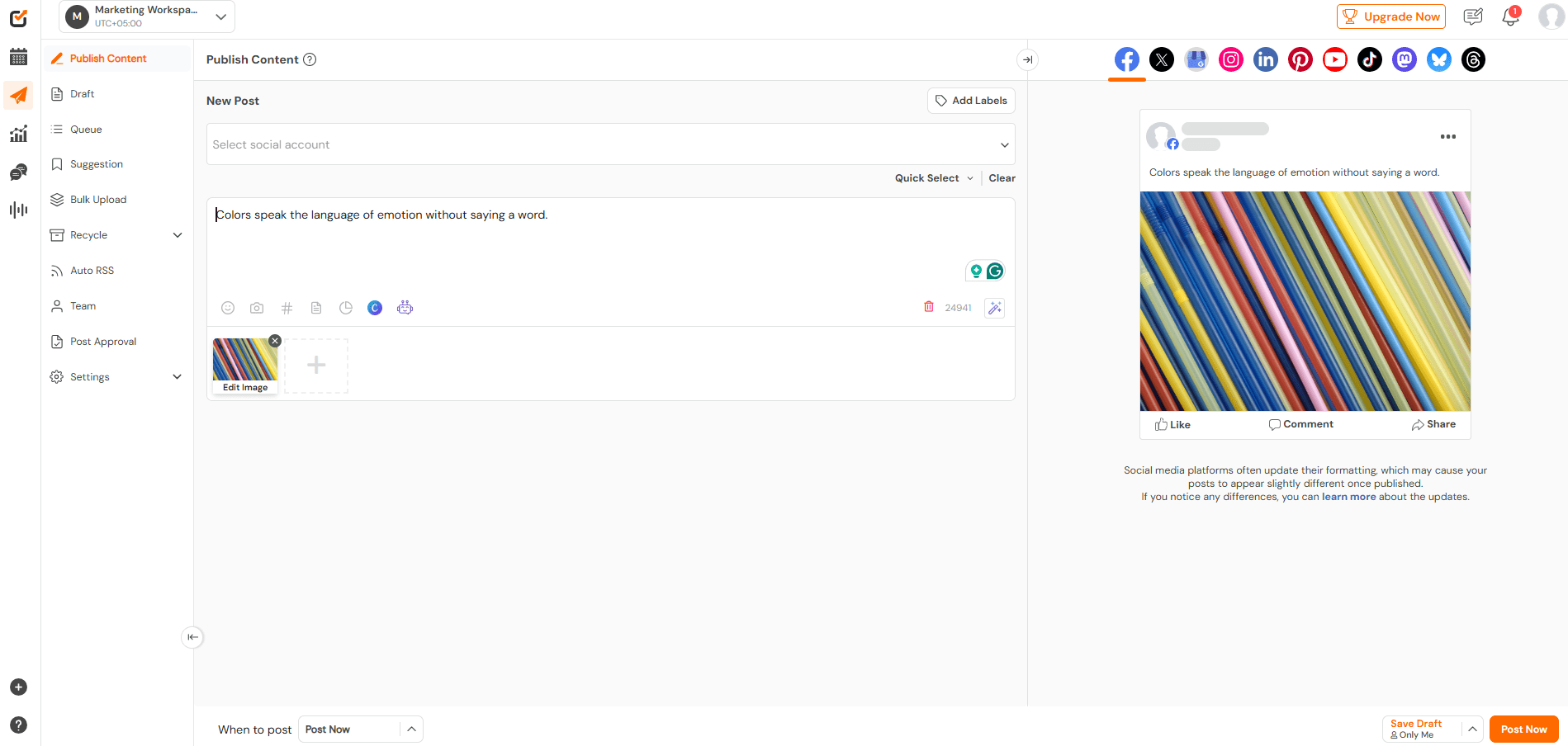
Social Champ’s Dashboard Don’t let your videos sit in the drafts! Schedule them with Social Champ and let them go live just when you want!
- Connect Your Accounts: Link your YouTube channel to a social media automation platform like Social Champ (or similar tools like Sprout Social or Hootsuite).
- Create Your Post: Create your post with the help of AI tools or manually, and schedule it for the best time to post.
- Maintain Consistency: This workflow ensures your video gets maximum initial exposure across the web without you having to manually log into five different accounts every time you upload, dramatically boosting your launch window performance.
- Track Analytics: Monitor your analytics to strategize your YouTube content better.
Maximize Productivity and Streamline Your Social Media Management With Social Champ
Discover deeper insights and elevate your social strategy with Social Champ’s robust analytics suite
Best YouTube Automation Tools
The power of YouTube automation lies in connecting specialised tools that handle specific tasks more efficiently and effectively than you can manually.
The tools fall into three main categories: creation, workflow management, and optimization.
-
AI Video Creation Tools
These tools take a text-based idea (like a blog post, script, or simple prompt) and use AI to generate a complete video, often including visuals, voiceovers, and music.
- InVideo AI: This is a prime example of a Text-to-Video AI Generator.
- What it does: You give it a text prompt (e.g., “Create a 5-minute video explaining the history of the Pyramids in a friendly, educational tone”), and InVideo’s AI will transform that into a finished video.
- Key Features: It handles everything from sourcing relevant stock footage, adding transitions, applying text overlays, and generating a realistic AI voiceover, essentially automating the entire video editing process.
- Other Tools: Other popular options include Pictory and Lumen5, which are excellent for repurposing written content (like articles or listicles) into engaging videos
- InVideo AI: This is a prime example of a Text-to-Video AI Generator.
-
Workflow Automation Platforms
These are the “glue” that connects all your other apps, triggering actions without the need for complex coding.
- Make (formerly Integromat): This platform is a powerful choice for building sophisticated automations.
- How it works: Make allows you to create scenarios that link multiple apps together. For instance, a scenario could automate research by monitoring a competitor’s channel, downloading new titles to a Google Sheet, summarizing the video content using ChatGPT, and then emailing you the report.
- What it automates: It can connect your research, content creation (like generating metadata), uploading (taking a file from Google Drive and uploading it to YouTube), and social management, all in one sequence.
- Zapier: A popular and beginner-friendly alternative that focuses on simple, reliable two-step (or multi-step) automations between thousands of different applications.
- Make (formerly Integromat): This platform is a powerful choice for building sophisticated automations.
-
Optimization and Scheduling Tools
These are the essential social media tools that live on your channel to boost SEO and streamline publishing.
Tool Primary Focus Key Automation Features Social Champ Social Scheduling and Promotion Bulk Scheduling across multiple social platforms, Best Time to Publish features, and automatic posting upon YouTube upload. VidIQ SEO and Analytics daily video ideas generated by AI, Competitor Tracking, SEO Score for every video, and trend alerts. TubeBuddy SEO and Productivity A/B Testing of Titles/Thumbnails, Bulk Editing of cards and end screens, and Keyword Explorer for optimization insights.
YouTube Automation Niches and Channel Ideas
Finding the best niche for YouTube automation means looking for topics that are consistently popular, easy to create with automated tools, and attract high-paying advertisers.
-
Profitable Niche Examples: The Power of Storytelling
Highly engaging niches are often based on fundamental human emotions, mystery, motivation, and curiosity.
These are perfect for automation because the visual content (stock footage, simple animations) supports a script that is the true star.
- Storytelling & Mystery: This is a fantastic niche for automation. Channels often focus on true crime, horror stories, or unexplained phenomena.
- Motivation & Self-Improvement: This evergreen niche constantly attracts viewers looking for life advice, business tips, or daily inspiration.
-
High-Demand, Faceless Niches
“Faceless” channels are the foundation of automation, as they allow you to outsource or automate 100% of the video production without needing a camera crew.
- Top-Ten Lists & Compilations: Extremely popular and easily created by automating the script generation and footage sourcing (e.g., “Top 10 Most Expensive Cars in the World”).
- Travel Guides/Documentaries: Create compelling videos about stunning locations using licensed stock footage and AI voiceovers (e.g., “A Guide to Hidden Gems in Tuscany”).
- Educational Content: Simplify complex topics like coding, history, or science. This content is evergreen and attracts a sophisticated audience.
- ASMR: Audio-centric content (like whispering, tapping, or cutting sounds) requires minimal visual complexity, making it highly automatable.
-
How to Find High-RPM Niches (Where the Money Is)
Not all views are created equal. The most crucial factor for profitability is the RPM (Revenue Per Mille, or revenue per 1,000 views).
High-RPM niches are topics where advertisers spend the most money.
- Research Topics With Good Advertising Rates: Advertisers who are selling high-value goods or services (like financial products, real estate, software, or health supplements) pay significantly more for ad space. Therefore, the most profitable topics are usually:
- Finance: Personal finance, investing, credit cards, cryptocurrency.
- Business: Entrepreneurship, digital marketing, passive income strategies.
- Tech: Software tutorials, gadget reviews, AI tools.
- Analyze Competitor Channels: Once you have a potential niche, research successful channels in that space.
- Look for Commercial Intent: Do their videos frequently feature products, software reviews, or calls-to-action to sign up for a service? If so, it’s a high-RPM niche.
- Use SEO Tools: Tools like TubeBuddy or vidIQ can show you the keywords your competitors are ranking for. If they are all targeting keywords related to “best investment apps” or “high-paying side hustles,” you know the money is there.
By balancing the low production cost of automation with the high advertising rates of a lucrative niche, you can maximize your potential earnings.
- Research Topics With Good Advertising Rates: Advertisers who are selling high-value goods or services (like financial products, real estate, software, or health supplements) pay significantly more for ad space. Therefore, the most profitable topics are usually:
Outsourcing vs. DIY Automation: Choosing the Right Approach
When you hear “YouTube automation,” you might think it’s all software. In reality, the decision comes down to budget, time, and quality control.
You have three main paths: full outsourcing, full DIY automation, or a powerful hybrid model.
When to Outsource for Professional Quality
Outsourcing means hiring freelancers (like scriptwriters, voice actors, or editors) on platforms like Fiverr, Upwork, or specialized agencies.
- You Should Outsource When… You need a high level of quality, human creativity, and emotional engagement that AI can’t yet reliably replicate.
- Key Tasks to Outsource:
- Video Editing: To get professional cinematic quality, precise pacing, and custom motion graphics that make your content stand out.
- Thumbnails: A well-designed, unique thumbnail is the most critical factor in your video’s Click-Through Rate (CTR). Investing in a professional designer ensures a polished, eye-catching result.
- Scriptwriting (Complex Topics): For niches that require deep expertise, nuanced arguments, or investigative research, a human writer ensures accuracy and compelling storytelling.
- The Benefit: Outsourcing buys you professional quality and expert skills, allowing you to maintain a high-quality brand identity without being the technical expert yourself
When to Use DIY Software Automation
DIY (Do-It-Yourself) automation uses software and no-code tools (like Make, Zapier, or AI video generators) to handle repetitive, low-creativity tasks.
- You Should Use DIY Automation When… You are on a strict budget, prioritizing speed, or dealing with highly structured, repetitive data.
- Key Tasks for DIY Automation:
- Data Management: Automatically copying trending titles or research facts into a central Google Sheet.
- Post-Production Admin: Scheduling videos, populating the description template, and cross-posting promotion to social media.
- First-Draft Content: Using AI generators (like InVideo) to create a budget-friendly, scaled first-draft video from a long-form article.
- The Benefit: DIY automation offers the maximum possible efficiency, cutting out manual time and ensuring scaled content at the lowest possible cost.
The Hybrid Model: The Secret to Scaling
The most successful channels rarely use one extreme.
The hybrid model combines the best of both worlds, focusing your budget on creative essentials while using software for scalable workflow management.
| Task Category | The Strategy | The Goal |
|---|---|---|
| Creative Tasks | Outsource to human experts (e.g., Scriptwriter, Thumbnail Designer, Voice Artist). | Ensures authentic engagement and high production quality that viewers trust. |
| Repetitive Processes | Automate using software (e.g., Scheduling, SEO analysis, file transfer, social posting). | Maximizes content velocity and frees up your time for strategic management. |
Featured Article: 10 Best YouTube Marketing Tools in 2026
YouTube Legal, Ethical, and Policy Considerations
The question, “Is YouTube automation legit?” is often confused with “Is it legal?”
The short answer is: Yes, YouTube automation is a legitimate business model, provided you operate within the law and strictly adhere to YouTube’s guidelines.
-
The Critical Issue: Copyright and Licensing
The biggest legal risk for any automated channel is running into copyright violations.
You must treat your channel like a professional production studio, which means every single asset needs a clear license.
- Automation is Legal, Theft is Not: YouTube automation is legal as long as all assets are properly licensed. This includes every piece of footage, background image, music track, and voiceover you use.
- Warn Against Unlicensed Content: Never use content ripped directly from other YouTube channels, films, or TV shows. Specifically, warn against using unlicensed stock footage or AI-generated music that violates copyright. Even if the music is AI-generated, the underlying training data might be copyrighted, or the terms of the specific AI tool may not grant you commercial rights. Stick to established, paid, royalty-free libraries (like Epidemic Sound or Artlist) for music and stock footage.
- The Transformative Test: If you must use copyrighted material (e.g., a news clip), ensure your use falls under Fair Use by adding significant new commentary, critique, or educational value. Simply combining clips with an AI voiceover is rarely considered “transformative” enough to pass muster.
-
Policy Compliance and Community Guidelines
Beyond copyright, YouTube algorithm maintains strict standards to protect its viewers from spam and misinformation. Automated channels are under particular scrutiny.
- Avoid Spam and Deceptive Practices: Do not engage in Fake Engagement (using bots to inflate views, likes, or comments) or Spam/Scams (misleading titles, clickbait thumbnails, or promoting fraudulent schemes). These practices are grounds for immediate demonetization or channel termination.
- The Reused Content Rule: Automated channels often use a high volume of stock footage. To be monetized, your content must be considered “Repetitive Content” or “Reused Content” by YouTube’s reviewers. You must add significant original commentary, creative editing, or educational value to make the content uniquely yours. Low-effort content that just stitches together clips will be rejected from the YouTube Partner Program (YPP).
-
The New Transparency Requirement
With the rise of sophisticated generative AI, YouTube now requires creators to be transparent about the content they upload.
- Disclose Synthetic Content: YouTube requires the disclosure of synthetic content when it is realistically altered or generated by AI in a way that could mislead viewers.
- What to Disclose: If you use AI to create a realistic voice clone, generate a realistic-looking event that never happened, or replace a person’s face/voice, you must use the “Altered Content” setting in YouTube Studio.
- What You Don’t Need to Disclose: Using AI for productivity (script generation, content ideas, automatic captions) or for clearly unrealistic/animated visuals does not require disclosure.
Monetizing an Automated YouTube Channel
The ultimate goal of building an automated channel is to generate passive income, and the great news is that automated channels have the same monetization opportunities as traditional ones.
Success lies in choosing a high-RPM niche and diversifying your income streams.
-
The YouTube Partner Program (YPP)
The primary source of income for most channels is ad revenue through the YPP.
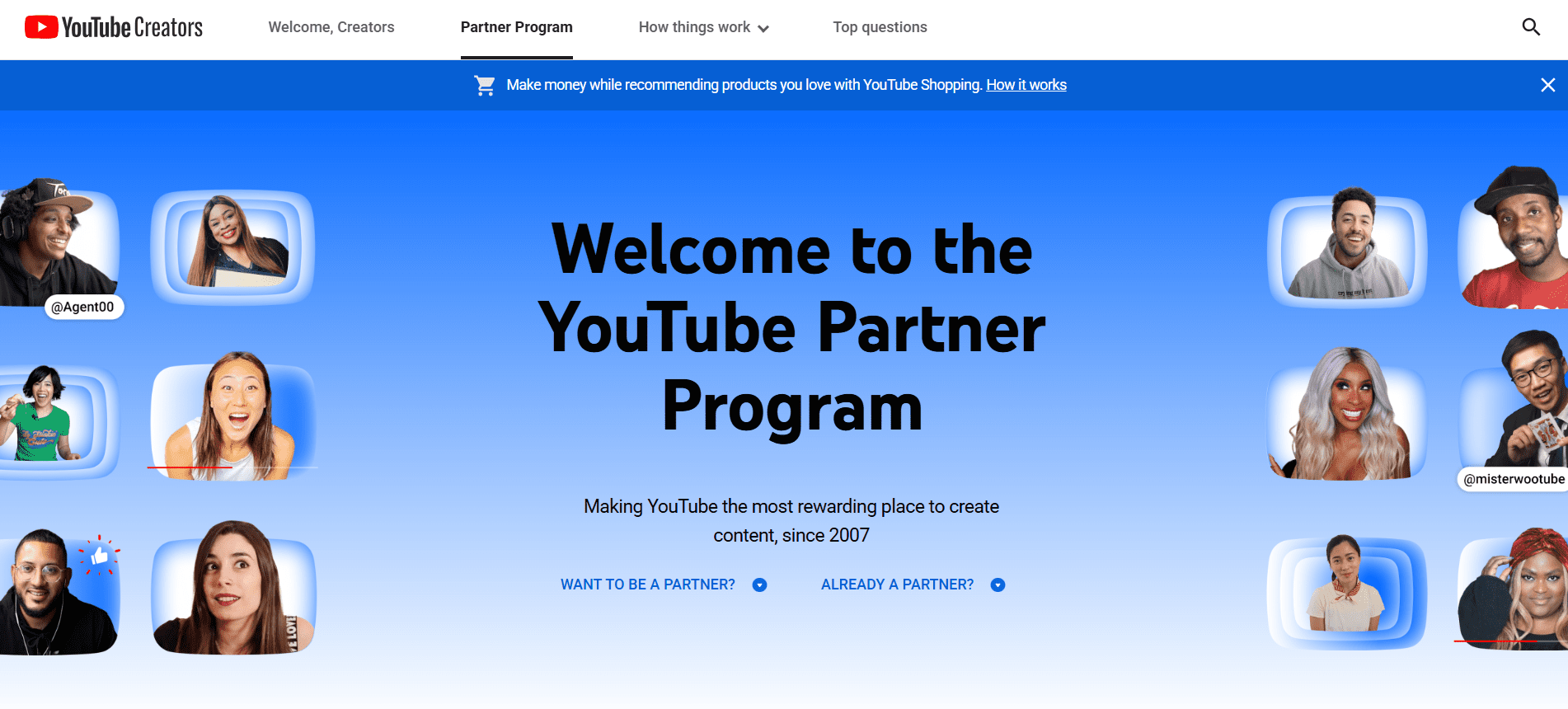
YouTube Partner Program Landing Page - Joining the YPP: Automated channels can join the YouTube Partner Program if they meet all the requirements. These requirements currently include having at least 1,000 subscribers and 4,000 valid public watch hours in the last 12 months (or 10 million Shorts views in the last 90 days).
- The Content Test: Critically, your channel must pass the “reused content” review. Automated content that provides significant original commentary, educational value, or transformative editing will typically qualify. Low-effort content that just re-uploads or stitches together existing clips without adding value will be rejected.
- High-RPM Niche Impact: Your earnings are directly tied to your niche. High-RPM niches (like finance, business, or technology) attract advertisers with larger budgets, meaning your ad revenue per 1,000 views will be substantially higher than in low-RPM niches (like comedy or gaming).
-
Third-Party Monetization Options
The fastest and often most profitable way to make money is by promoting products and services directly to your engaged audience. This is where you leverage your channel’s scale.
- Affiliate Marketing: This is the most common and effective non-ad revenue stream for automated channels. You embed links in your video descriptions and pinned comments.
- The Model: You recommend products, services, or software relevant to your niche (e.g., a “Top 10 Tech” channel links to the gadgets on Amazon; a “Personal Finance” channel links to investment platforms). You earn a commission for every sale or sign-up made through your unique link.
- Digital Products: Create and sell digital goods related to your niche. This offers 100% profit margins.
- Examples: E-books, templates, checklists, courses, or guides (e.g., a “Productivity” channel sells a downloadable Notion template or a budgeting spreadsheet).
- Sponsored Content/Brand Deals: As your channel grows, brands will pay you to feature their product or service. This requires careful vetting to ensure the sponsor aligns with your automated brand identity.
- Affiliate Marketing: This is the most common and effective non-ad revenue stream for automated channels. You embed links in your video descriptions and pinned comments.
-
How to Maximize Earnings
Automation’s greatest benefit is consistency, which directly correlates with higher earnings.
- Consistent Posting: Automation allows you to post daily or multiple times a week. This constant stream of content keeps your subscribers engaged and gives you more opportunities to capture trending traffic, which is essential for rapid growth and higher ad revenue.
- Clear Calls-to-Action (CTAs): Every video needs a clear CTA driving viewers to your monetization source. Whether it’s “check out my budgeting template in the description” or “sign up for this tool using the affiliate link below,” make it easy for viewers to click.
- Niche Stacking: By operating in a high-RPM niche and combining YPP ad revenue with powerful affiliate marketing, you create two primary income streams that reinforce each other, building a robust and highly profitable automated business.
Featured Article: 30 YouTube Hacks to Boost Your Channel
Social Champ: Automate Your YouTube Posting the Right Way
While AI video generators and workflow platforms (like Make or Zapier) handle the creation phase, you need a dedicated tool to automate the critical step of distribution.
That’s where an all-in-one scheduler shines.
It is a dependable social media management platform that offers a highly effective way to handle the last (but most crucial) mile of your YouTube management workflow.
It turns the manual chore of uploading and promoting into a seamless, scheduled task.
- Schedule and Publish: Use the YouTube Post Scheduler to line up your content calendar days or weeks in advance. You can schedule uploads for both standard videos and Shorts to keep your channel active and consistent.
- Advanced Analytics: Check how your YouTube videos are performing and generate reports to share with your team members.
- Social Listening: Track your brand mentions to manage your reputation on YouTube.
Social Listening Dashboard - Social Inbox: Engage with your audience through a single dashboard. Reply to comments and be responsive easily.
- Content Calendar: View and plan your YouTube videos for an entire month with a social media content calendar.

Unlock the Power of Data-Driven Decisions with Social Champ!
Discover deeper insights and elevate your social strategy with Social Champ’s robust analytics suite
Conclusion
YouTube automation can be a powerful ally for you if you use it wisely and ethically.
Always remember that genuine growth takes time, dedication, and a commitment to building a real connection with your audience.
So, it’s equally important to be wary of scams and get-rich-quick schemes that promise overnight success without genuine effort.
As you navigate this dynamic terrain, consider incorporating reliable automation tools into your workflow.
A platform like Social Champ offers ethical and efficient automation solutions to empower your content strategy while steering clear of deceptive practices.



1 comment
Stella Nova
Great read! Creators must use tools wisely to save time without compromising the genuine connection with their audience.